Changelog

Follow new updates and improvements to Habitify.

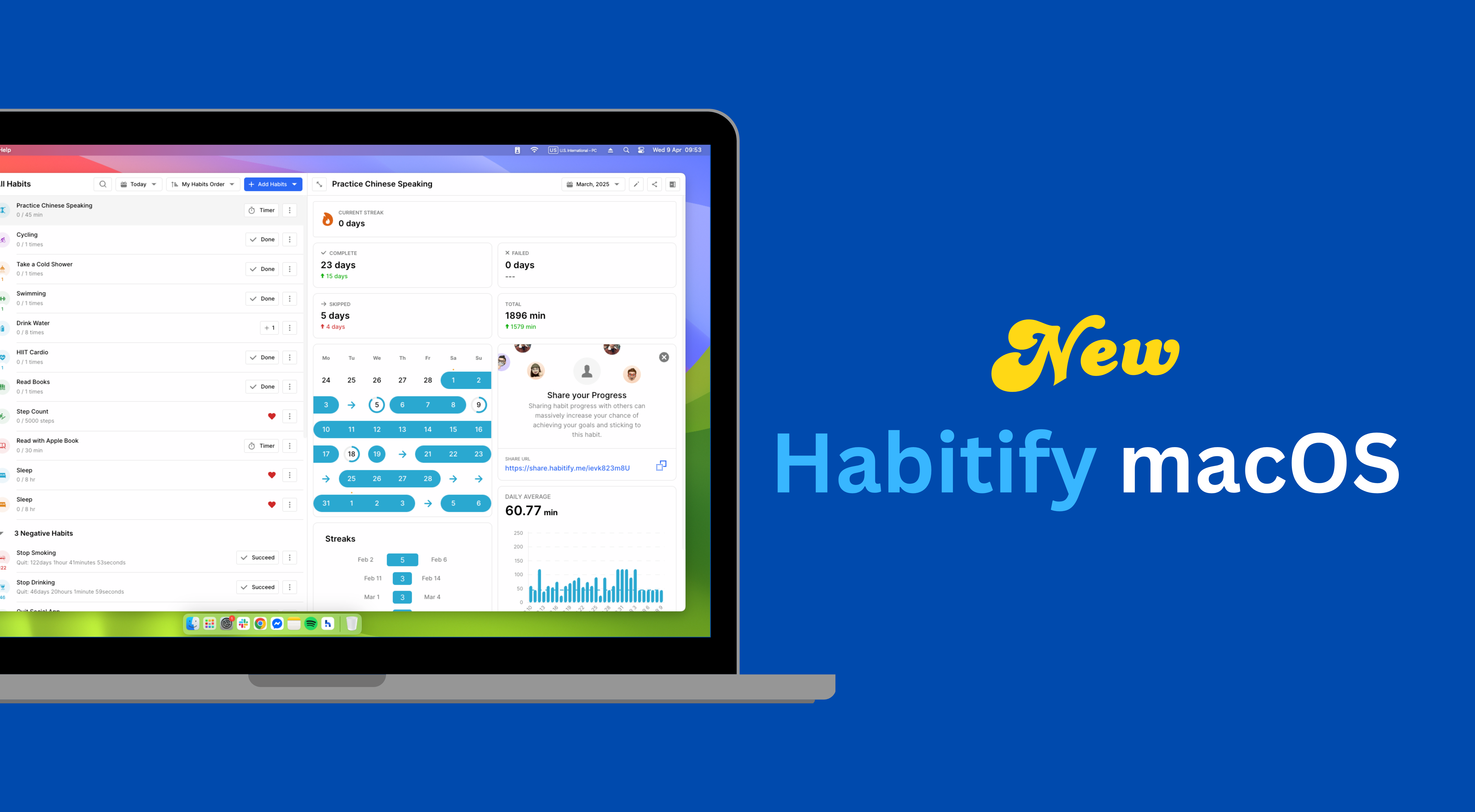
Habitify for macOS Update: New Mini App & More Updates on Grid View
Hello Mac users!

We're excited to release a new update focused on making your daily tracking faster and giving you more powerful tools to manage your journal. Here’s what’s new:

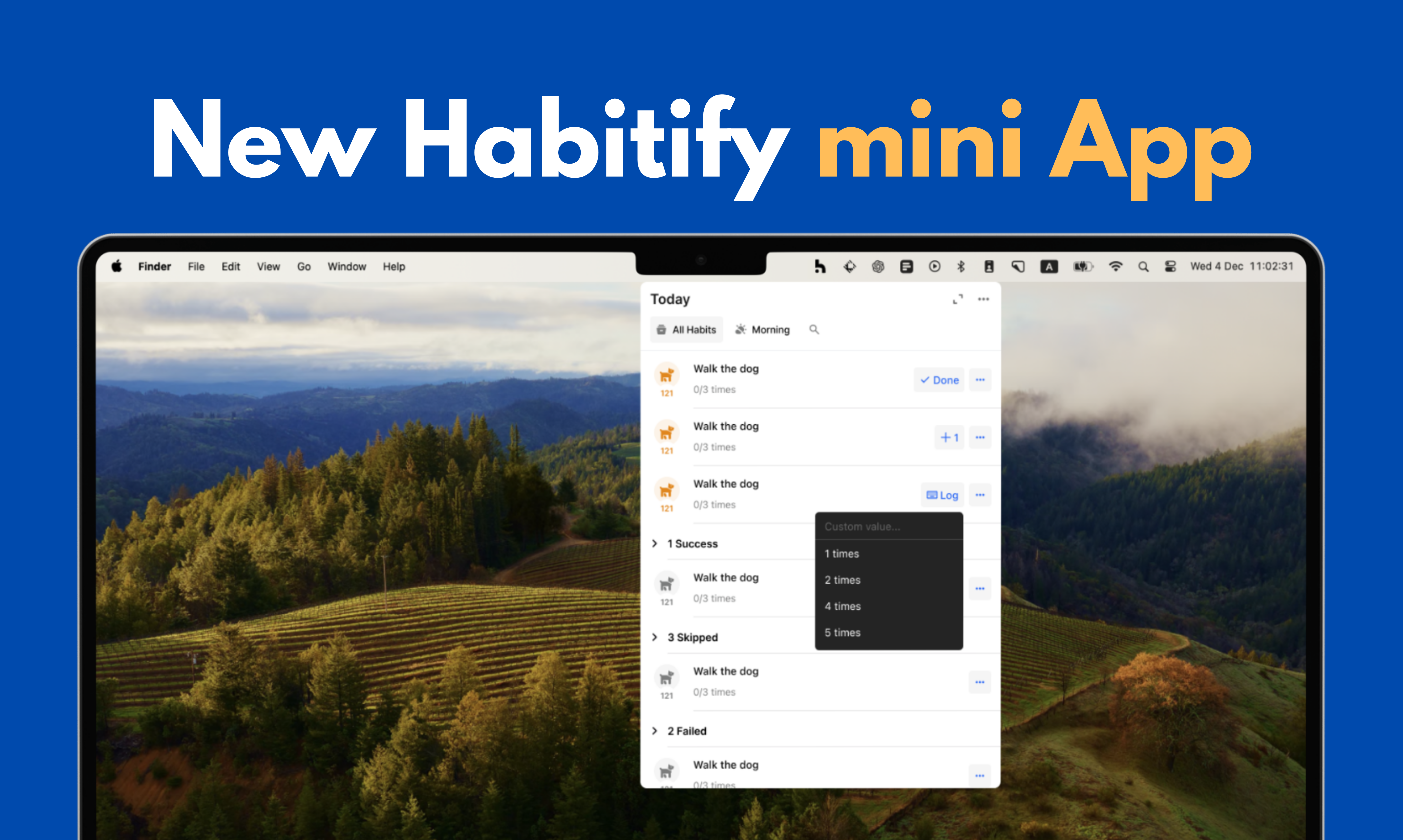
🚀 NEW: The Menu Bar Mini App!

We're making it easier than ever to stay on top of your daily goals with our brand-new Menu Bar Mini App.

  • Instant Access: You will now see a Habitify icon in your Mac's menu bar. Click it to instantly see your full habit list for the current day.

  • Convenient Check-ins: Check off your habits directly from the mini app without ever needing to open or switch to the main Habitify window. It's the fastest way to log progress while you work.

📝 IMPROVEMENT: Better Journal & Note Management!

We've added some highly-requested features to make managing your progress history and notes more efficient, both for macOS and website apps:

  • Bulk Log Removal: Cleaning up your history is now much faster. You can now select multiple days at once in your habit's progress view and remove all the selected logs in a single action.

  • Enhanced Note Visibility: We've made it easier to spot and read your journal entries. Days with notes now have a visual indicator in the Grid View.


This update also includes our usual round of performance enhancements and bug fixes.

Update your app today to enjoy a faster and more efficient way to track your habits on your Mac.

→ Get Habitify on App Store

Happy tracking,

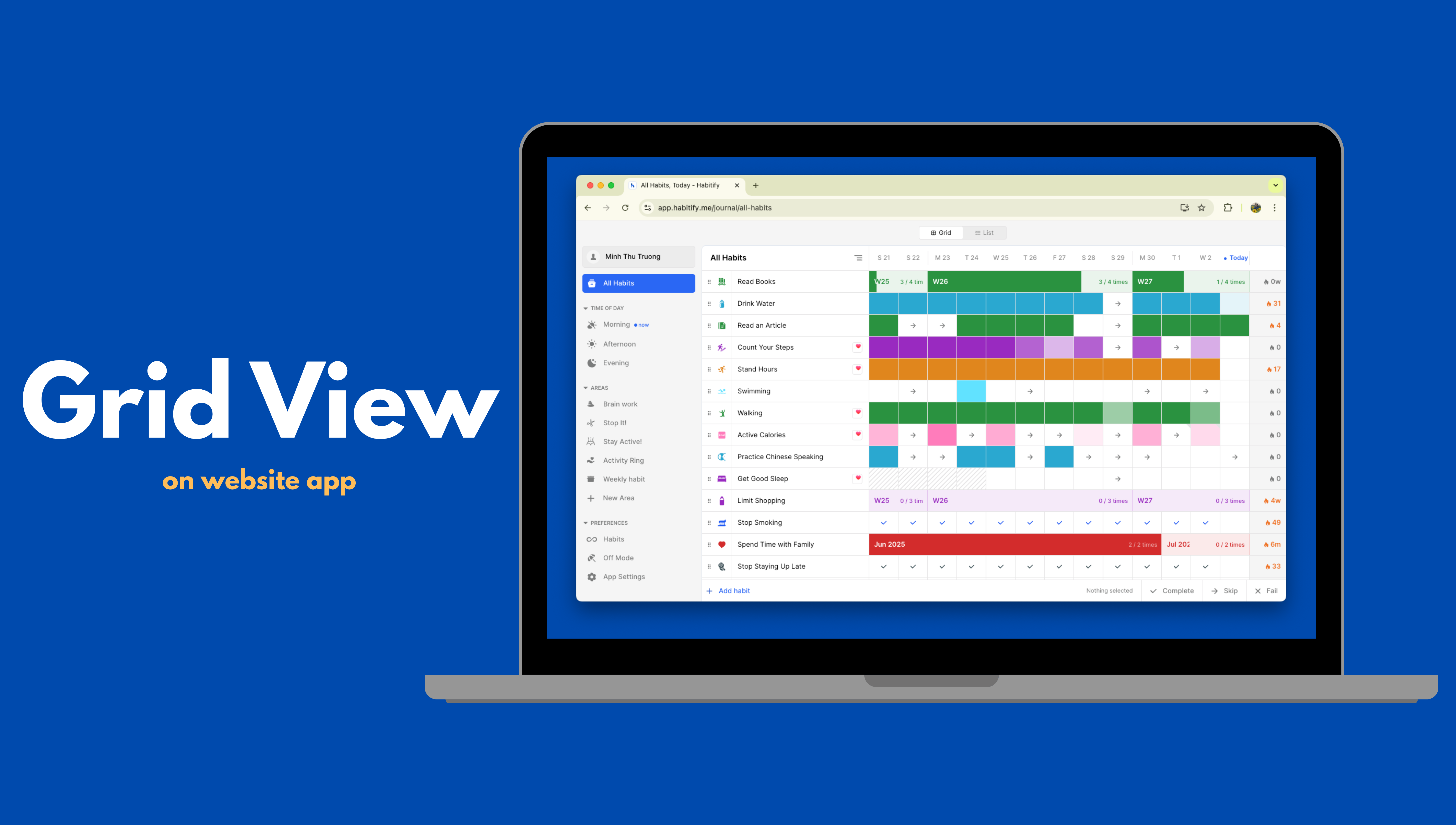
New Grid View for Extended Tracking on Website app

We're thrilled to announce a powerful new update to our web app, designed to give you a clearer, more comprehensive look at your progress over time. Say hello to the Extended Grid View!

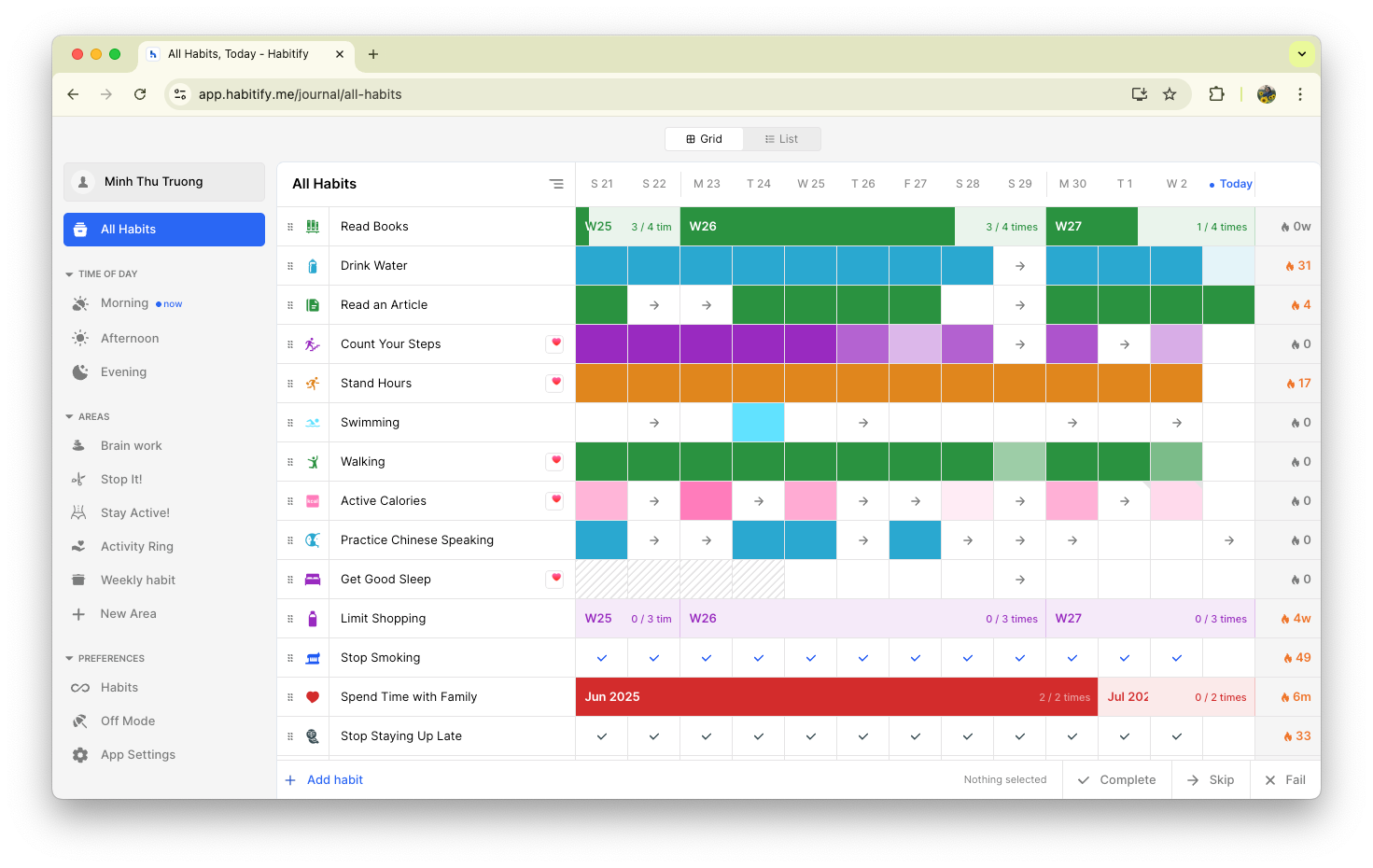
This new layout allows you to see all your habits and their history over several days in a single, beautiful grid. It’s the ultimate dashboard for visualizing your consistency and momentum at a glance.

We’ve designed an intuitive color system to help you instantly understand your progress, no matter your goal type:

  • For Daily Habits: The color of each cell deepens based on your completion rate for that day. A partially filled circle means a partially completed habit!

  • For Weekly Habits: Watch as a 7-day stripe fills with color throughout the week, showing you exactly how close you are to hitting your weekly target.

  • For Monthly Habits: See the entire month's stripe fulfilled with color as you work towards your monthly goal, giving you a fantastic overview of your long-term consistency.

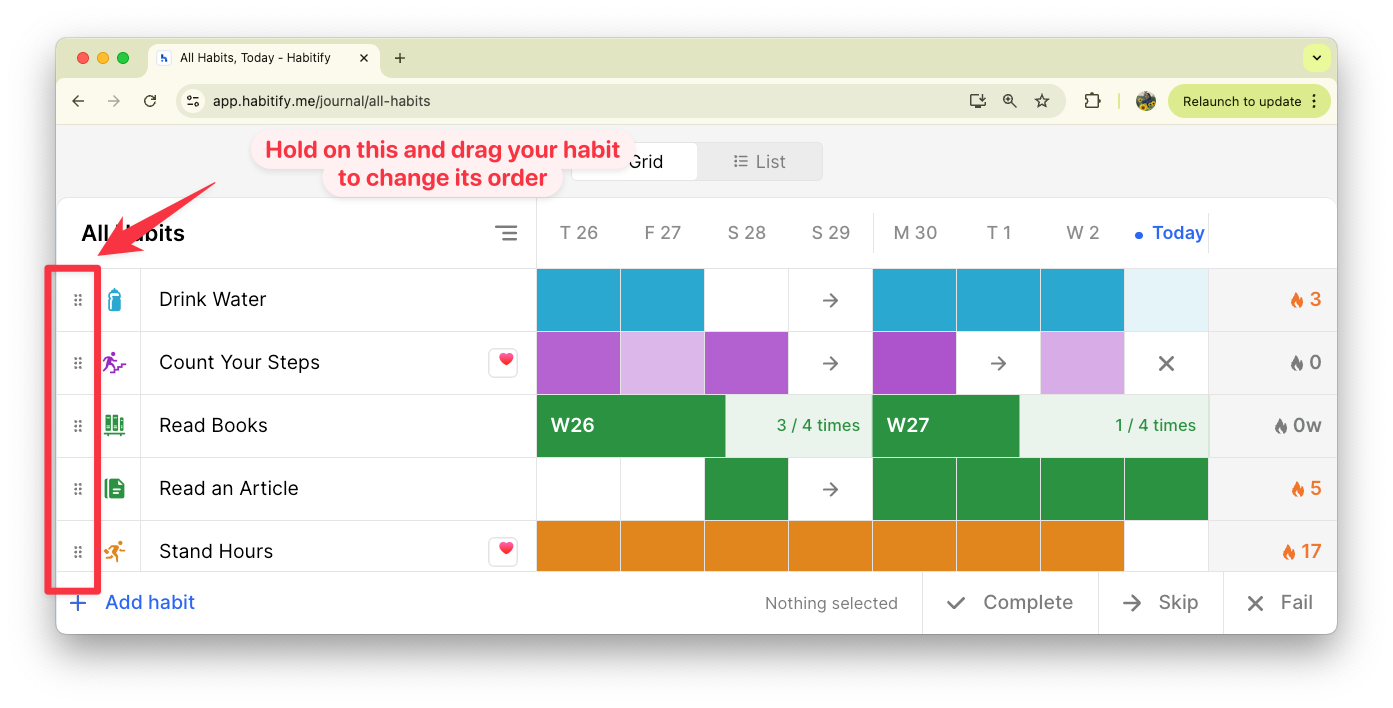
Another small change but we believe it is powerful. Now, you can instantly reorder your habits directly on the grid view. Simply hover your mouse over the button near your habit's icon to find the drag handle, then click, hold, and drag your habits up or down to place them exactly where you want them.


Ready to Get Started?

Log in to the Habitify Web App now to experience the new Extended Grid View!

For a detailed guide on all the ways to log your progress on our website, check out our new Help Center article: Learn How to Check In on the Website App

We're constantly working to make Habitify more powerful and intuitive for you, and we can't wait to hear what you think of this new update.