Changelog

Follow new updates and improvements to Habitify.

Important Update on Fitbit Integration
Fitbit is moving to Google Health, and as part of that change Google has turned off the Fitbit service that apps like Habitify relied on to read your activity data. As a result, Habitify can no longer sync habits from Fitbit.

What this means for you

Habits that tracked progress from Fitbit will stop updating automatically.

Keep your habits on autopilot

An existing habit can't be switched to a different sync source, but a fresh start takes just a minute. Create a new habit and sync it with:

  • Health Connect on Android

  • Apple Health on iPhone

  • Strava for your workouts

What we're doing next

We've planned to work with Google to rebuild this integration from the ground up under its new name, Google Health. This is a brand-new connection on Google's side, so we'll share an update as soon as it's ready for you to use.

Meanwhile, you can pull the data from your Fitbit/Google Health to Health Connect (on Android) or Apple Health (on iOS), then create a new habit to sync data from one of these apps.

Thank you for your patience, and keep showing up. 💪

Habitify Team.

All-New Progress View

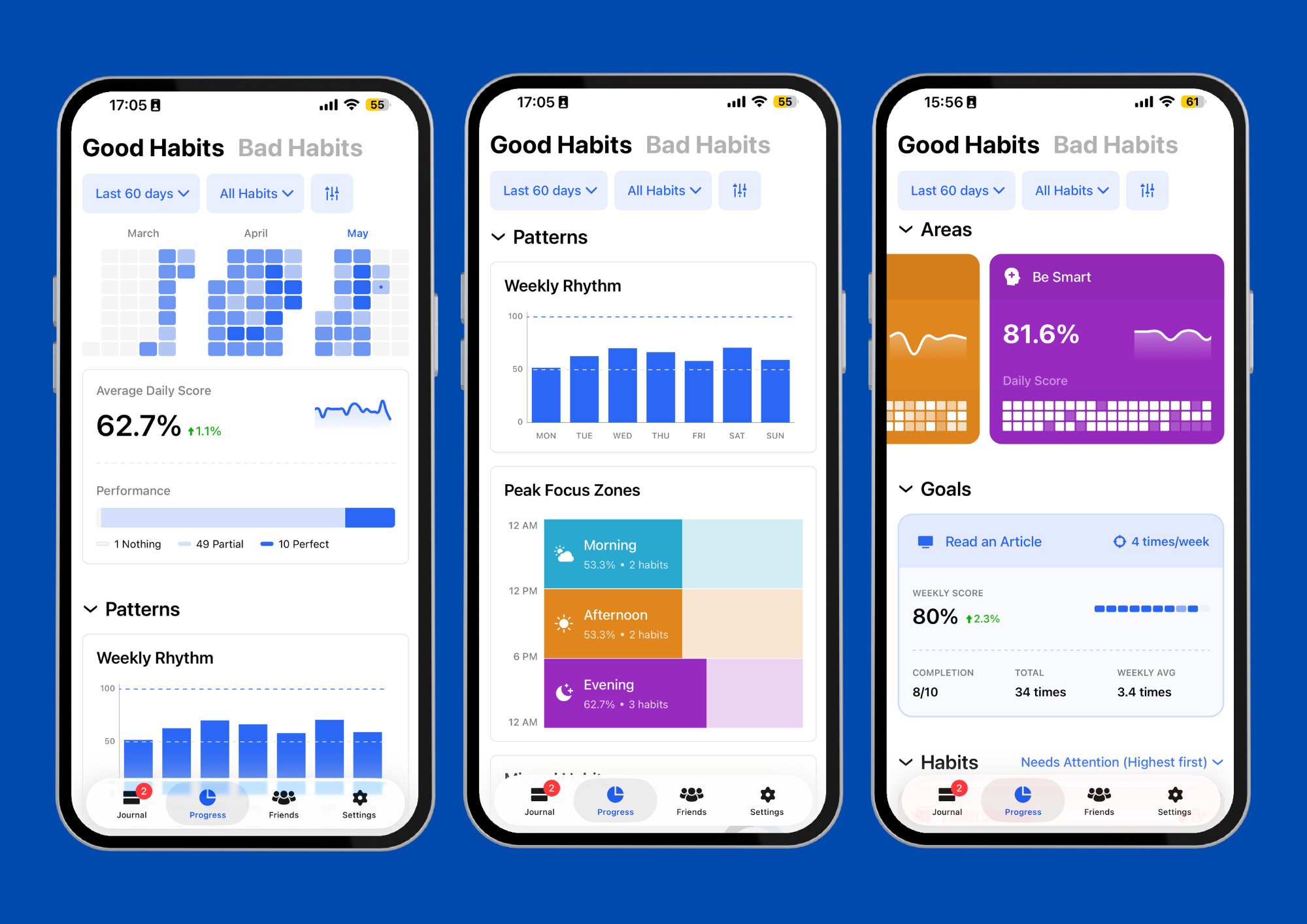
At Habitify, we are constantly looking for ways to make your habit-tracking journey more insightful, accurate, and actionable. We know that as you grow, the way you review your progress needs to grow with you.

Today, we are thrilled to announce a complete revamp of our Progress View, based on your feedback and our desire to give you the most accurate reflection of your self-improvement journey 🎉.

Here is how the new Progress helps you work smarter:

  • See the Big Picture (Overview): Stop stressing over one missed day. Your massive Overall Heatmap and accurate Daily Score prove your true, long-term consistency.

  • Optimize Your Schedule (Patterns): Stop fighting your natural energy. Peak Focus Zones and Weekly Rhythm reveal your most productive hours, while the Missed Habits tally helps you learn from setbacks.

  • Balance Your Life (Areas): Catch imbalances early. Area Overviews show exactly how you are dividing your time across Health, Career, and Personal Growth.

  • Focus on What Matters (Habits): Overwhelmed? Upgraded Habit Cards break big goals into daily numbers, showing exactly which routine needs your attention tomorrow.

In this update, we're also introducing to you a separate “Bad Habits” tab which gives you a dedicated space to track negative habits with logic that actually celebrates your restraint.

And this massive update isn't just for mobile! The completely redesigned Progress View is also rolling out on the Habitify website and desktop app, so you can track your insights seamlessly across all your devices.

Update your Habitify app version 40.0.0 today to explore the new dashboard and take your personal growth to the next level!

→ Download Habitify

→ Open Habitify Website

Happy Tracking,

Habitify Team.

Habitify is Officially Live on the ChatGPT App Store!

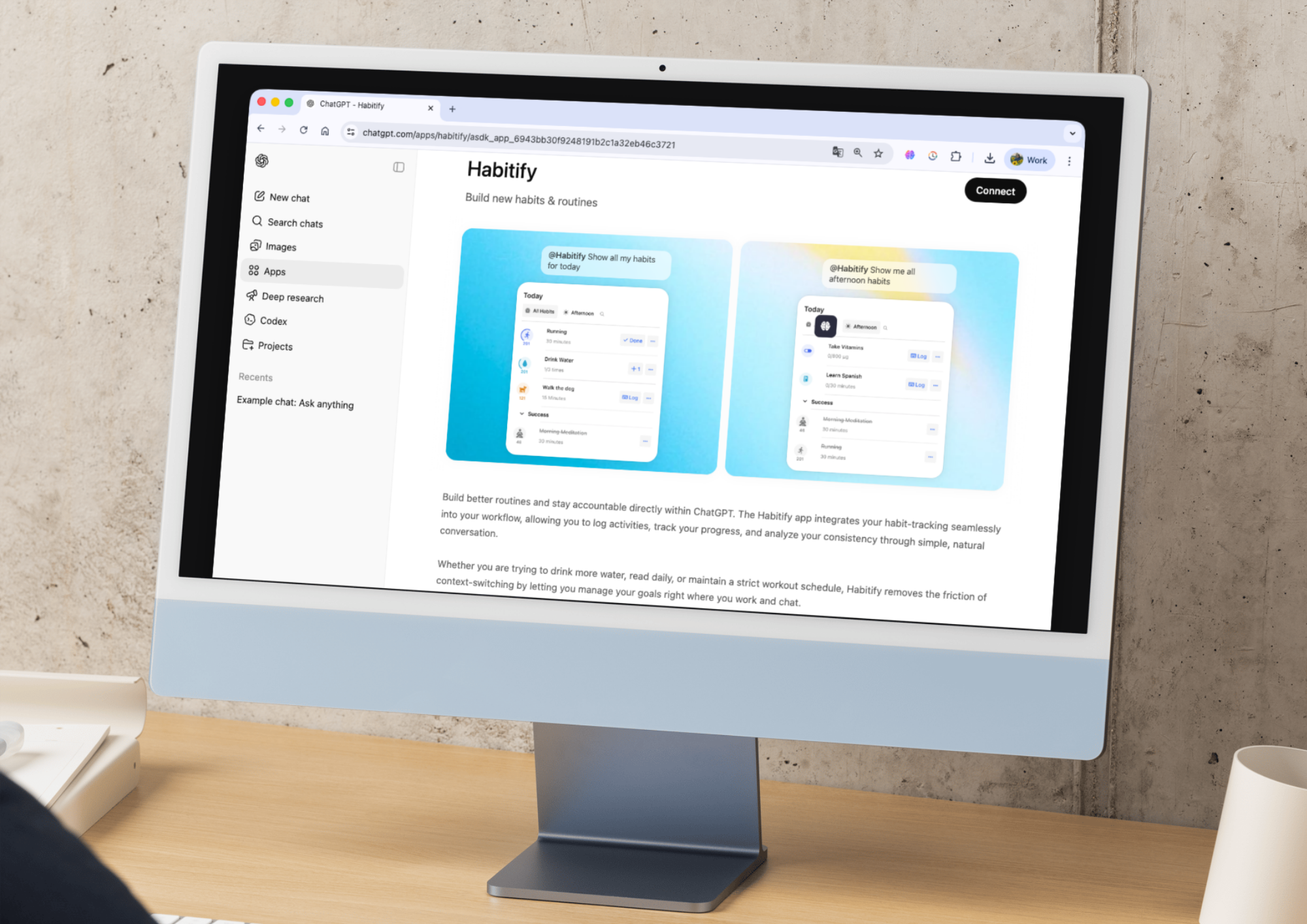
We are thrilled to announce that managing your habits with AI just got a whole lot easier. The official Habitify app is now officially published and available directly within ChatGPT!

What Changed?

  • The Old Way (Developer Mode): We know that previously, connecting Habitify to ChatGPT was a bit of a technical hurdle. It required digging into Advanced Settings, enabling Developer Mode, manually creating a custom app, and pasting in connection URLs.

  • The New Way (Simple & Official): We have removed all the friction! You no longer need to mess with any developer settings or complex configurations. The integration is now officially approved and listed in the ChatGPT store, meaning anyone can connect their habit journal with just a few clicks.

How to Connect (The New, Easy Way)

Ready to start chatting with your habits? Here is how simple it is now:

  1. Open ChatGPT and navigate to Apps

  2. Type Habitify into the search bar, and select the official Habitify app from the results.

  3. Click Connect and follow the simple on-screen prompt to log in and authorize the connection to your account.

That’s it! Once authorized, you can immediately start telling ChatGPT to log your water, check off your morning routine, or show you your daily progress.

→ Go to Habitify on ChatGPT now.

Enjoy the seamless experience, and happy habit tracking!

NewWeb Update

Earlier updates