Changelog

Follow new updates and improvements to Habitify.

Habitify iOS 49.0.0: Improvements & Bug Fixes

This update focuses on stability and a smoother habit-tracking experience. We have squashed several bugs and improved overall performance to keep your daily routines running without a hitch.

Here is what is improved in version 49.0.0:

🚀 Improvements

  • iOS 18 Optimization: Improved overall performance and fixed crashes on iOS 18 devices.

🐛 Bug Fixes

  • Shortcuts App: Fixed an issue where Habitify was not showing up in the Shortcuts app.

  • iPad Checklists: Fixed a bug that caused checklists to not appear on iPad.

  • Calendar Selection: Fixed an issue where certain dates were unavailable in the calendar.

  • Journal Logging: Fixed an issue in the old Journal layout where completing one entry could mistakenly mark the entire habit as done.

Download for iOS (App Store)

Happy tracking!

The Habitify Team

ImprovediOS Update

Habitify Android 48.2.0: Improvements & Bug Fixes

We are rolling out version 48.2.0 for Android to make managing and interacting with your routines faster and more flexible. This update brings a highly requested way to input goals, expands NFC capabilities, and smooths out several workflow friction points.

Here is what is new and improved in this version:

🚀 Improvements

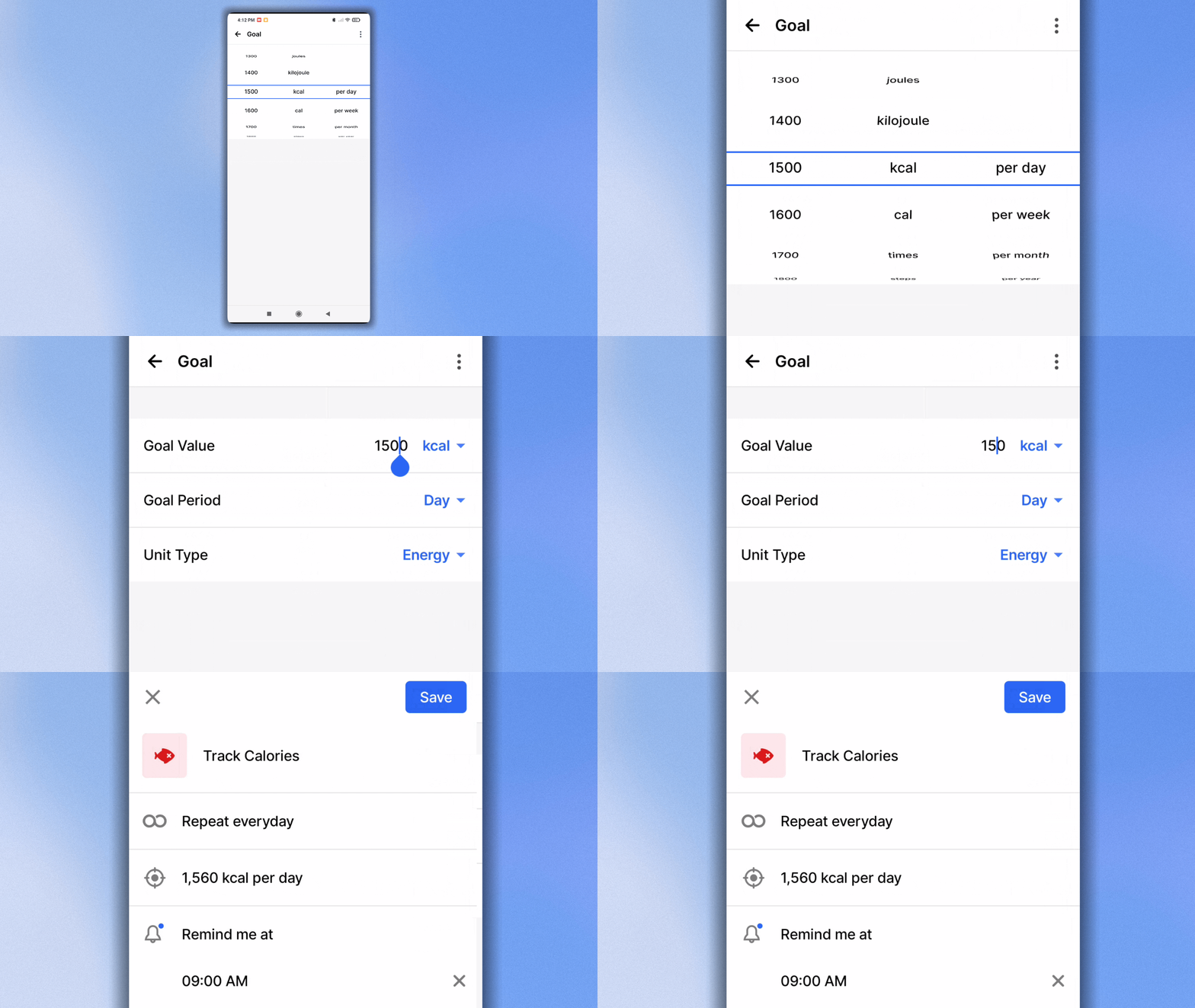
  • Exact Value Goal Input: We have added a new "Exact Value" mode when setting habit goals. Instead of scrolling through the predefined value picker, you can now simply type in your exact custom number to set your goal instantly.

Set the habit's goal with an exact value
  • Start Timers via NFC: We have expanded our NFC integration. You can now set an NFC tag to automatically trigger and start a timer for your habit the moment you scan it.

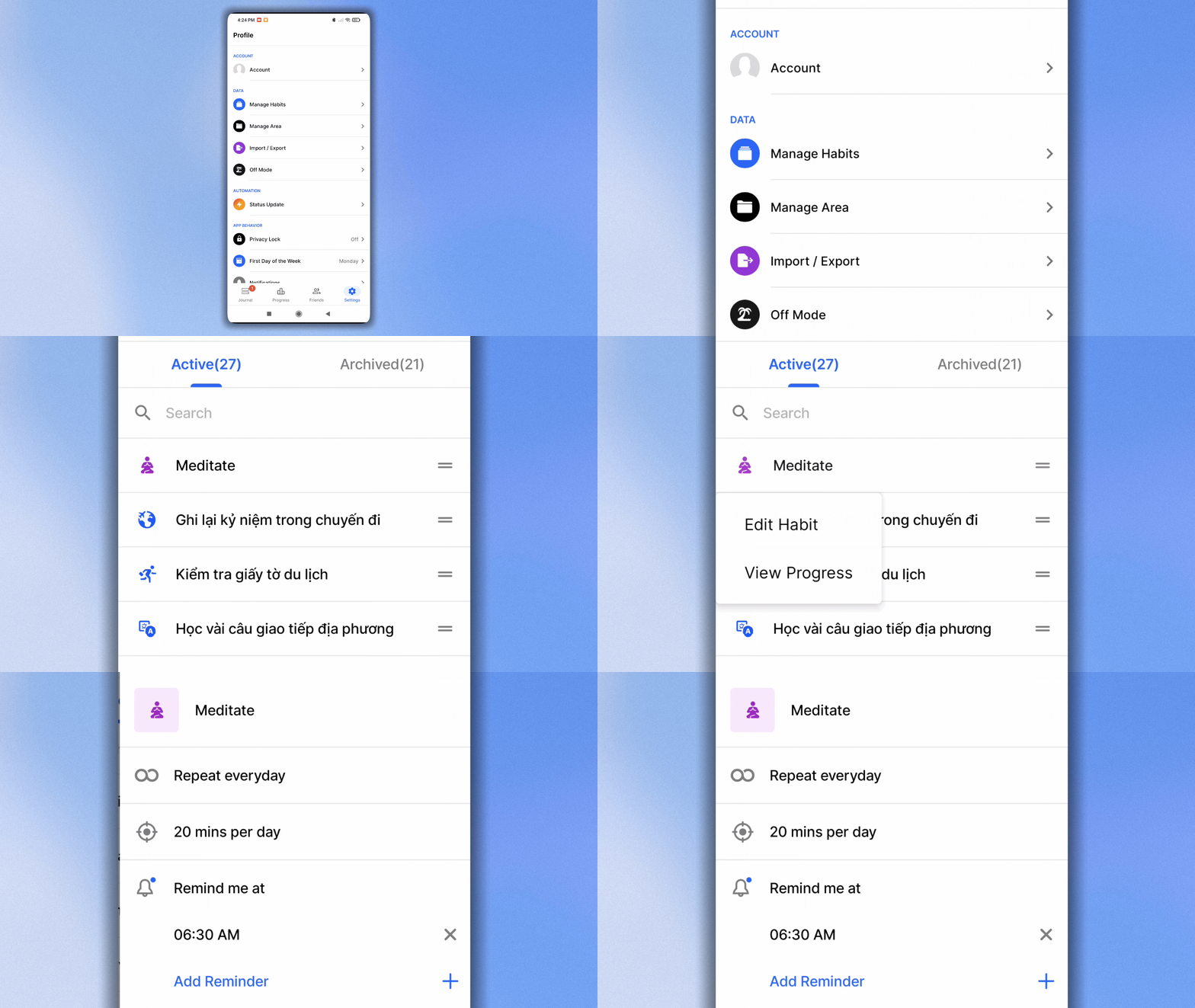
  • Edit Directly from Settings: We brought back a much-requested flow! You can once go to Settings > Manage Habits > hold on a habit to edit it immediately. You no longer need to wait for a scheduled habit to appear in your Journal to make changes.

How to edit a habit from Settings > Manage Habits
  • Instant Area Navigation: Creating a new Area is now a seamless experience. As soon as you hit save on a newly created Area, the app will automatically open it in your Journal so you can start adding habits right away.

🐛 Bug Fixes

  • Timer Display Fix: Resolved an annoying bug on Android where the Timer screen would occasionally refuse to close after a session had successfully ended.

  • General Polish: Addressed minor under-the-hood issues to ensure smoother navigation and stability across the app.

Ready for the update?

Head over to the Google Play Store to download version 48.2.0 and enjoy a smoother tracking experience today.

Download Habitify from Play Store.

Happy tracking!

The Habitify Team

Habitify Android v34.0.0: Total Control & Integration Visual Clarity

We are rolling out Habitify v34.0 for Android! This update is a massive leap forward for organization. We have rebuilt the management tools to be faster and more flexible, allowing you to clean up your dashboard in seconds and organize your life exactly how you want.

Here is what’s new on your Android device:

⚡ Manage Habits: More Controls

Cleaning up your habit list used to take time. Now, it takes seconds.

  • Select Multiple or All: You can now enter selection mode to pick multiple habits—or tap "Select All"—to perform actions in bulk.

  • Batch Control: Archive, Unarchive, or Delete dozens of habits at once. Whether you are starting fresh or decluttering an old list, you can now do it with just a few taps.

📂 Revamped Areas: Total Flexibility

We have completely reimagined how Areas work. No more jumping between screens to move habits around.

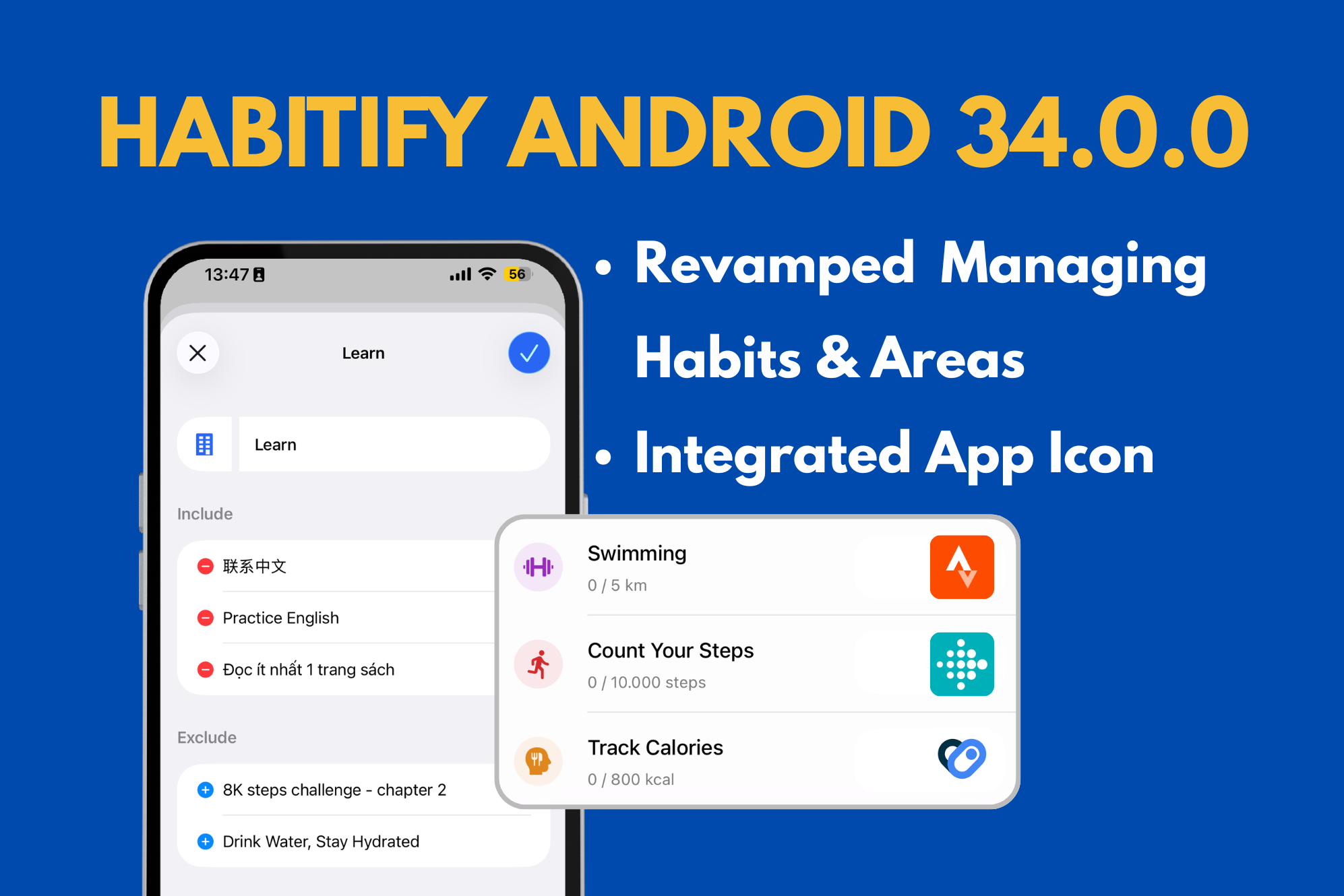
  • All-in-One Editing: When you edit an Area, you can now change its Name, Icon, and manage its Included/Excluded habits all on a single screen.

  • Multi-Area Support: Habits are no longer restricted to just one list. A habit can now belong to multiple areas at once! (e.g., "Running" can be in your "Health" area AND your "Morning Routine" area).

  • Direct Management: Add or remove habits from an Area instantly using the new selection interface.

🔗 Integration Icons: Know Your Source

With Habitify supporting multiple integrations (Health Connect, Google Fit, etc.), the generic "Heart" icon wasn't enough.

  • Visual Clarity: We have replaced the generic heart icon on synced habits with the specific app icon of the data source.

  • At a Glance: You can now instantly tell if a habit is syncing from Google Fit, Health Connect, or other sources directly from your journal view.


Ready to update?

Visit the Google Play Store to get the latest version and organize your life with ease.

Download for Android (Google Play)

Happy tracking!

The Habitify Team
Earlier updates