Changelog

Follow new updates and improvements to Habitify.

Habitify Android 51.0.0: Earn Your Scroll with Habit Gate
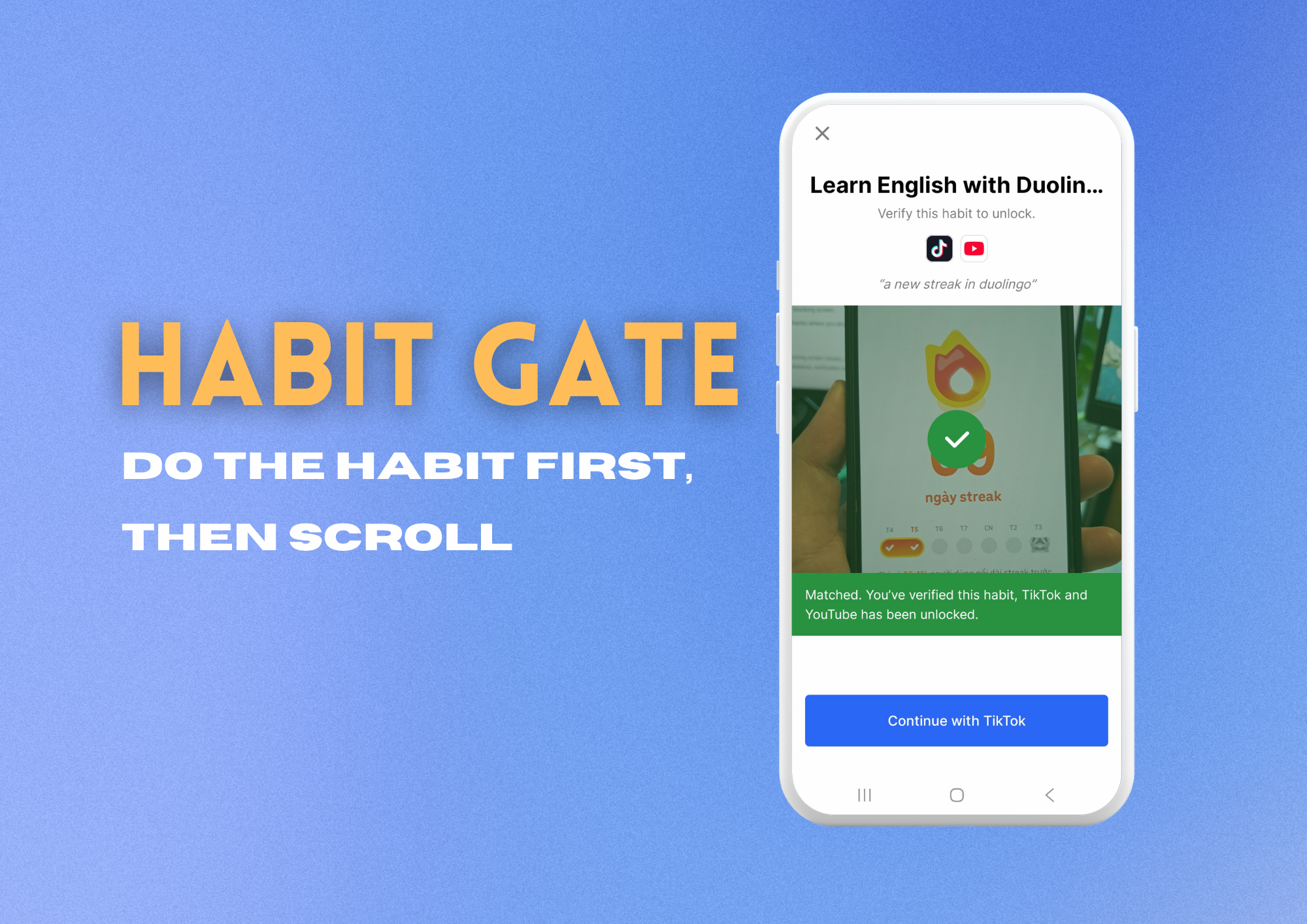
We all know the pull: you meant to go for a run, and somehow you’re 40 minutes into a feed. With Habitify 51.0.0 for Android, we’re turning that pull into a push. Habit Gate blocks the apps and websites that distract you until you’ve done the habit that matters, so your good intentions get the first word.

🚧 Meet Habit Gate: Do the Habit First, Then Scroll

Pick the apps and websites to block (websites are blocked in Chrome, Firefox, and your phone’s browser), attach the gate to a habit, and choose how you’ll prove you did it. Each gate belongs to one habit, so the distraction itself reminds you of what you set out to do.

  • Prove it your way: Take a photo (Habitify’s AI checks it against what you described), arrive at a location like your gym, hit a target time in an app like Duolingo, reach a goal in Health Connect like 10,000 steps, or tap an NFC tag.

  • Choose how strict to be: Easy lets you through after a quick confirmation. Friction gives you a short window after you confirm, then blocks again. Strict keeps apps blocked until the habit is verified, with no skipping.

  • Let Habitify do the rest: Once your habit is verified, Habitify can check it off for you, and save your photo to the habit’s notes.

  • A fresh start every day: Gates reset at midnight, so every new day begins with the habit first.

To set one up: See the full guide.

🛠️ Bug Fixes & Improvements

We’ve squashed a few bugs and smoothed out rough edges to keep Habitify fast, stable, and out of your way.


Ready to Make Your Habits Come First?

Update to Habitify Android 51.0.0 on Google Play and set up your first gate today.

→ Get Habitify on Google Play

Happy tracking!
The Habitify Team

NewAndroid Update

Habitify iOS 51.0: See Your Whole Week, Now Made for iPhone Duo

We’re rolling out Habitify 51.0 for iOS with two updates built around one idea: seeing your habits more clearly.

📅 Meet Week View, Now on iPhone & iPad

Now, every habit gets its own row across all seven days within the Journal view, so you can step back and see how your week is really going.

Journal in Week View
  • See the pattern, not just today: Spot the days you showed up and the days that slipped, then plan the rest of your week with a clear picture.

  • Follow your momentum: Completed days connect into one continuous color bar, partly filled cells show how close you came to your daily goal, and your 🔥 streak sits right in the timeline.

  • Built for every kind of habit: Weekly, monthly, and yearly goals appear as one progress stripe filling toward your target. Habits you’re limiting show how much you’ve logged against your limit.

  • Look back with ease: Use the week bar to move between weeks, up to 54 weeks back.

Tap the layout button next to All Habits to switch views anytime. Daily View helps you win today. Week View helps you understand the journey.

📱 Made for iPhone Duo

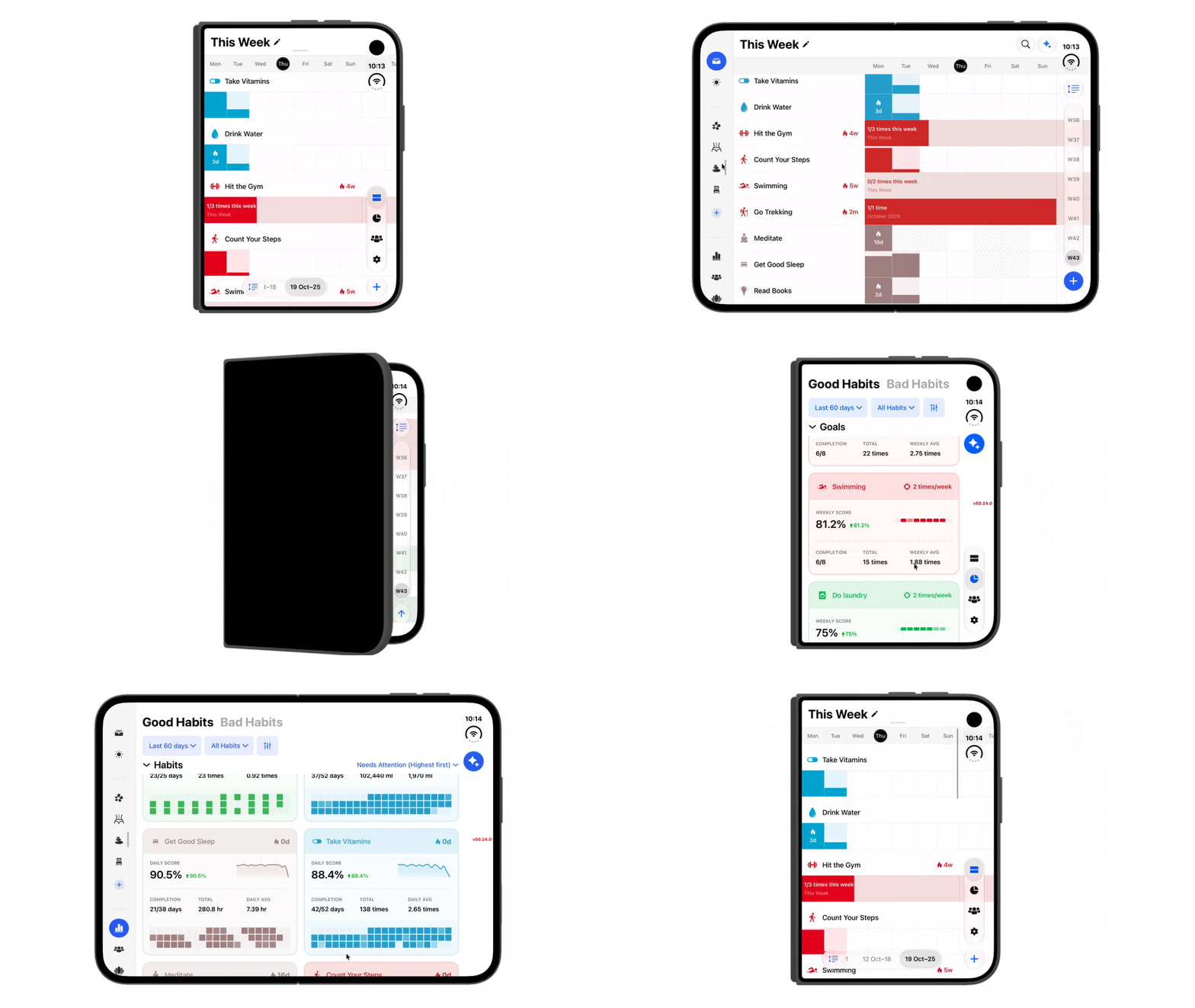
More screen should mean more clarity, not just bigger buttons. Unfold your iPhone Duo and Habitify opens up with it:

  • Journal gets an Duo-style layout, with a sidebar for your Areas and tabs, so everything is one tap away.

  • Progress puts your Patterns charts side by side and shows habits in a two-column grid, so you can compare more without endless scrolling.

  • Single progress shows two months side by side, so you can see how this month compares with last without flipping back and forth.

Folded, it still looks and feels like the iPhone you know.

Habitify on iPhone Duo - Demo on simulator

Ready to See More of Your Progress?

Update to Habitify iOS 51.0 on the App Store and try Week View today.

→ Download Habitify for iOS

Happy tracking!

The Habitify Team

NewiOS Update

Habitify Android 49.0.0: See Your Whole Week at a Glance

We are rolling out Habitify 49.0.0 for Android with a brand-new way to view and manage your routines.

Daily View is perfect for staying focused on today. But sometimes, you need to step back and see how your habits are unfolding across the entire week. That is exactly what the new Week View is built for.

📅 Meet the New Week View

Week View brings all seven days of your week together in one clear, compact layout.

Each habit has its own row, allowing you to quickly see what you have completed, where you are still making progress, and which days may need a little more attention.

Here is how Week View helps you stay on track:

  • See the Bigger Picture: Review your progress across the whole week without switching between individual days.

  • Check In Directly: Tap a day to log your progress. For habits measured in times, every tap adds one toward your goal. For other units, Habitify opens the Log Value screen.

  • Take Quick Actions: Press and hold today’s cell to mark a habit as Completed, Skipped, or Failed.

  • Follow Your Momentum: Completed days connect into a continuous color bar, while partially filled cells show how close you are to reaching your daily goal.

  • Keep Your Streak Visible: Your current streak appears directly in the weekly timeline, giving you a little extra motivation to keep it going.

🎯 Built for Every Type of Habit

Whether you are building a good habit, staying within a limit, or quitting something for good, Week View adapts to the way each habit is tracked.

Daily habits are displayed one day at a time, while weekly, monthly, and yearly goals appear as a seamless progress bar showing exactly how far you have come toward your target.

That means you can review a daily reading routine, a weekly workout goal, and a habit you are trying to limit—all from the same screen.

🔄 Navigate and Organize Your Way

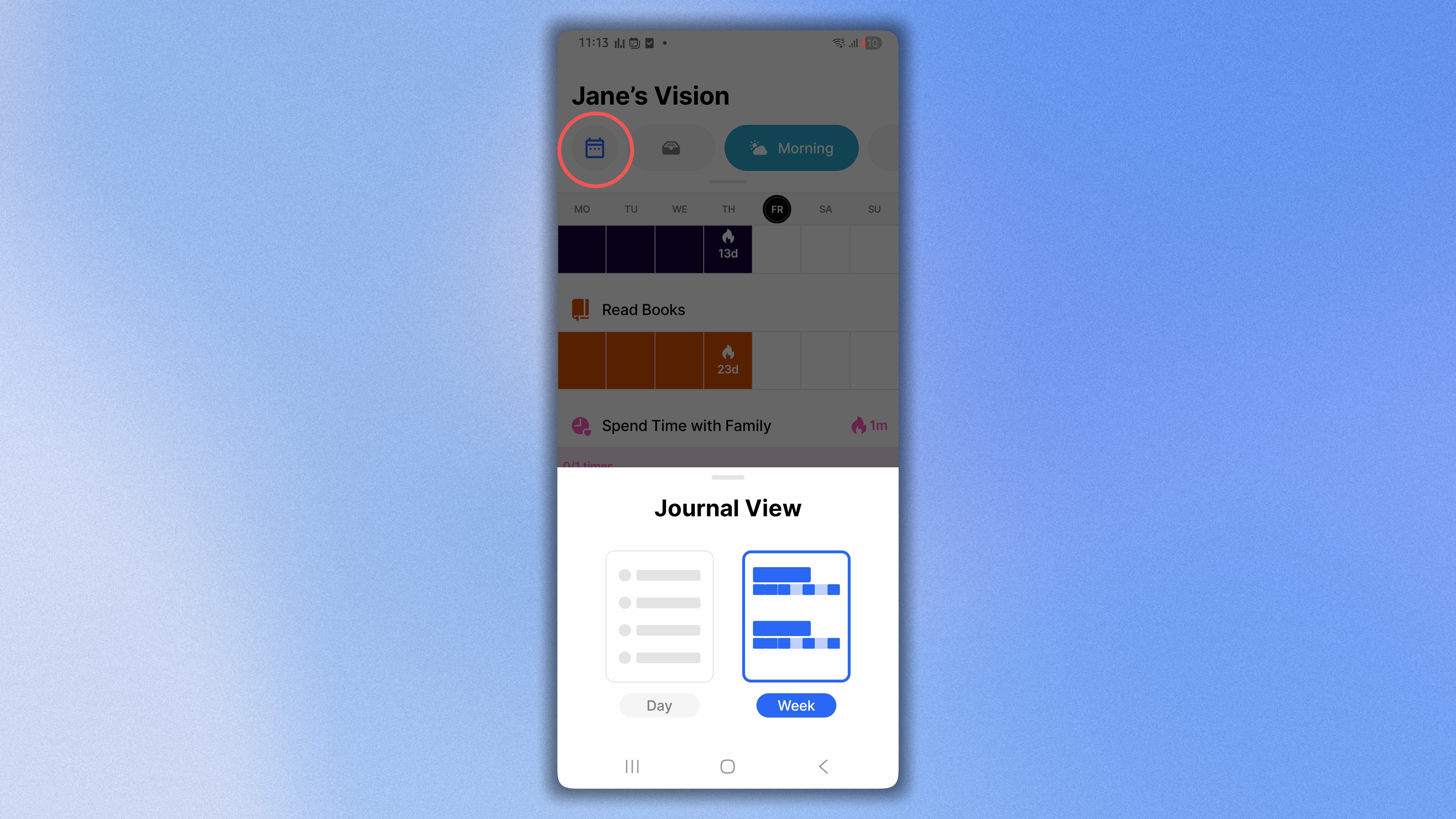
Switching between Daily View and Week View takes just one tap. In the Journal, use the layout button next to All Habits to choose the view that works best for you.

You can also:

  • Move between weeks using the week bar at the bottom of the screen.

  • Start your week on Sunday or Monday based on your First Day of Week setting.

  • Sort habits alphabetically, by reminder time, or according to your custom habit order.

Daily View helps you focus on the next action. Week View helps you understand the journey. Now, you can move effortlessly between both perspectives whenever you need them.


Ready to See Your Week Differently?

Head to the Google Play Store and update to Habitify Android 49.0.0 to explore the new Week View today.

→ Download Habitify for Android

Happy tracking!

The Habitify Team

NewAndroid Update

Earlier updates