Habitify Web & Desktop 30.0
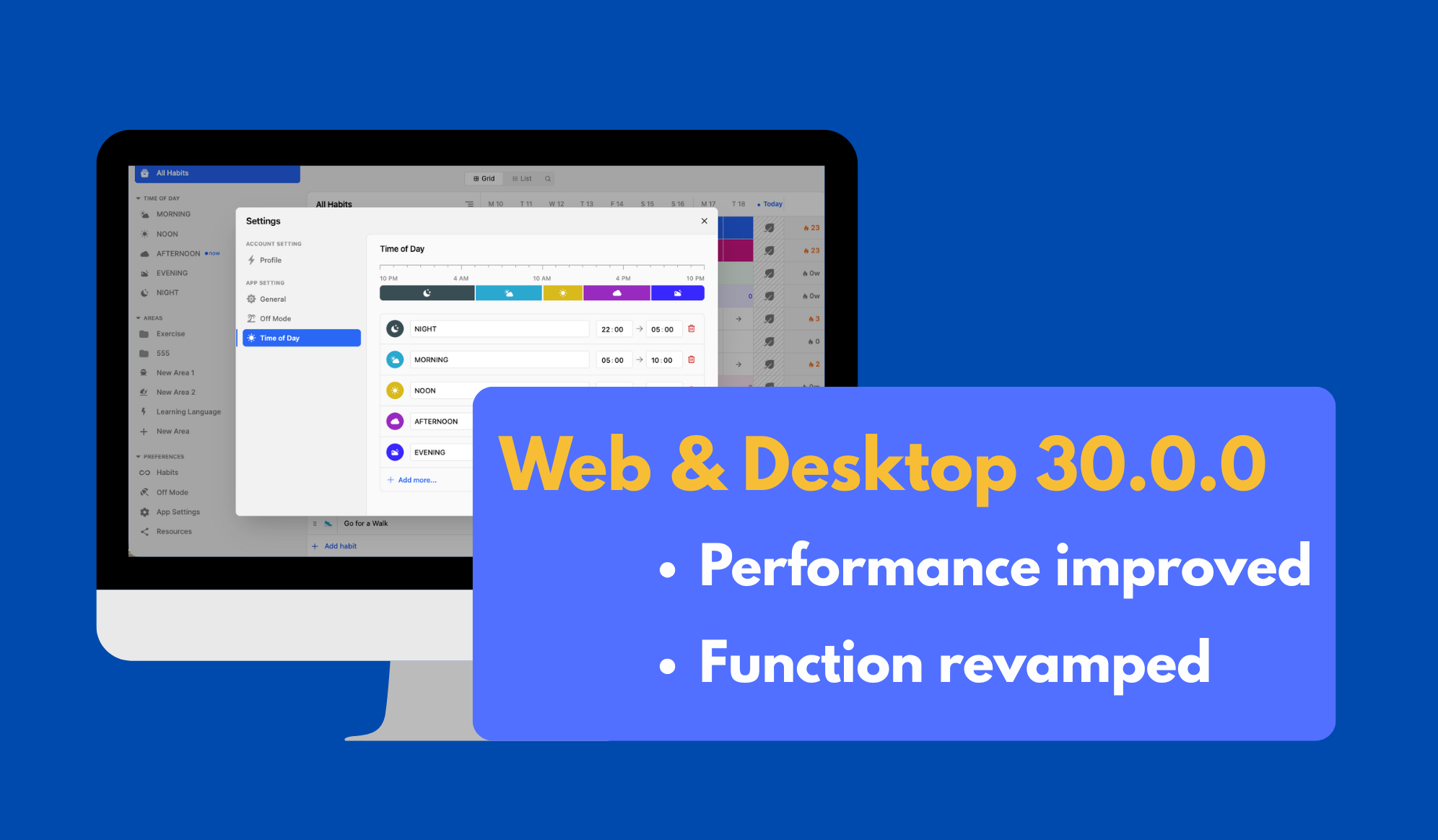
We're excited to announce a major update for Habitify Web and Desktop (Mac and Windows)! Version 30.0 focuses on efficiency, speed, and customization, making your tracking flow smoother than ever.
Here’s a breakdown of the new features and improvements designed to give you more control over your habit journey:
⌨️ New Keyboard Shortcuts & Grid Interaction
We've added powerful new actions to help you navigate and log habits without lifting your hands from the keyboard.
Undo with Ease (Ctrl/Cmd + Z): Made a mistake? Quickly undo your last action (like a check-in or skip) using the universal shortcut Ctrl + Z (Windows/Linux) or Cmd + Z (macOS).
Rapid Logging in Grid View: We've made the popular Grid view even faster. Now, simply double-click any date cell in the Grid view to instantly mark that day as complete for the selected habit. No need to open the logging menu!
🎨 Fully Revamped Settings Page
The Settings section has received a complete makeover, consolidating options and introducing new customization features for a more personalized experience.
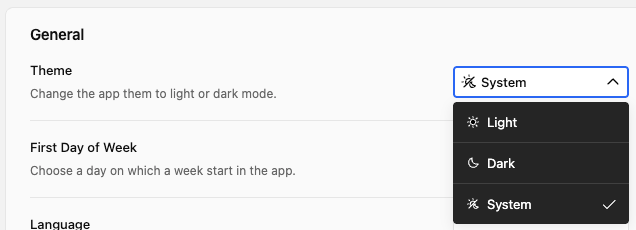
System Theme Sync
Habitify can now seamlessly adapt to your operating system's appearance! Set the app theme to follow the system theme so it automatically switches between Light Mode and Dark Mode based on your desktop settings.
Easier Off Mode Control
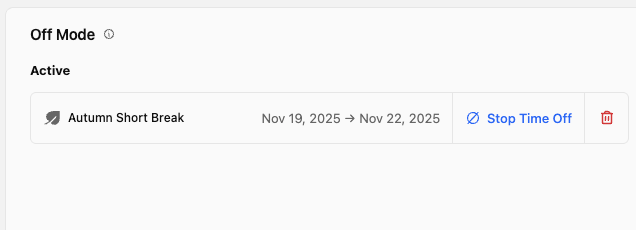
Quickly manage your tracking environment. You can now stop the active Off Mode directly from the Settings page, allowing you to instantly stop the Off Mode and get back to your habits for the current day.
New Time of Day Settings
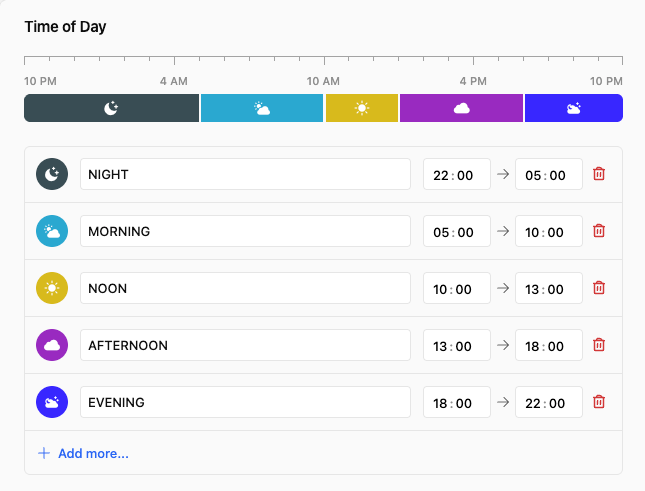
Gain granular control over how your day is structured. Create and define the exact start and end times for each of your Time of Day block, to ensure your habit lists are grouped and sorted perfectly for your unique daily flow.
Click to update the website app to get these new things, or update your desktop app at:
Enjoy the new speed and customization!
Habitify Tracking,
Habitify Team