Habitify iOS 51.0: See Your Whole Week, Now Made for iPhone Duo
We’re rolling out Habitify 51.0 for iOS with two updates built around one idea: seeing your habits more clearly.
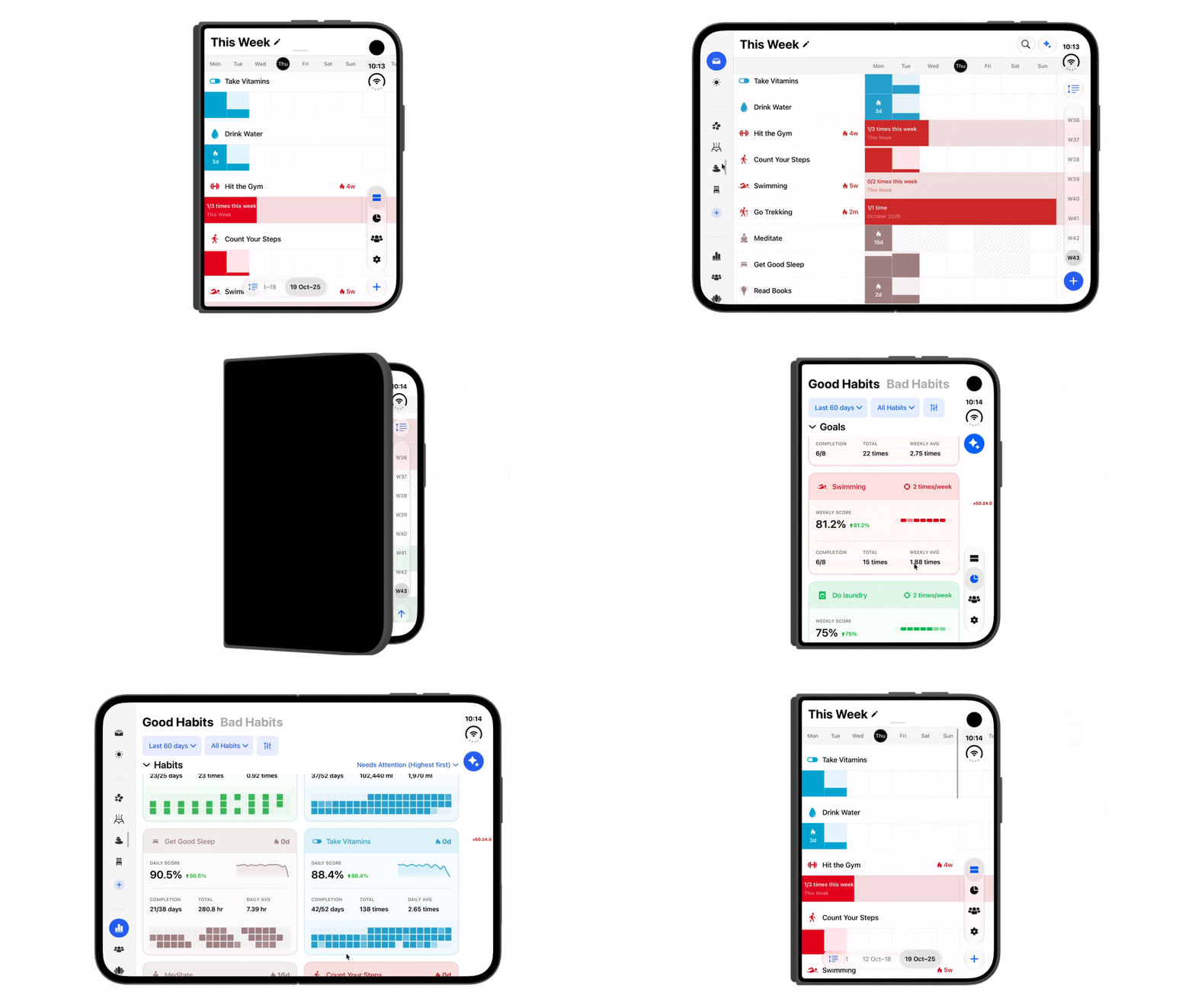
📅 Meet Week View, Now on iPhone & iPad
Now, every habit gets its own row across all seven days within the Journal view, so you can step back and see how your week is really going.
See the pattern, not just today: Spot the days you showed up and the days that slipped, then plan the rest of your week with a clear picture.
Follow your momentum: Completed days connect into one continuous color bar, partly filled cells show how close you came to your daily goal, and your 🔥 streak sits right in the timeline.
Built for every kind of habit: Weekly, monthly, and yearly goals appear as one progress stripe filling toward your target. Habits you’re limiting show how much you’ve logged against your limit.
Look back with ease: Use the week bar to move between weeks, up to 54 weeks back.
Tap the layout button next to All Habits to switch views anytime. Daily View helps you win today. Week View helps you understand the journey.
📱 Made for iPhone Duo
More screen should mean more clarity, not just bigger buttons. Unfold your iPhone Duo and Habitify opens up with it:
Journal gets an Duo-style layout, with a sidebar for your Areas and tabs, so everything is one tap away.
Progress puts your Patterns charts side by side and shows habits in a two-column grid, so you can compare more without endless scrolling.
Single progress shows two months side by side, so you can see how this month compares with last without flipping back and forth.
Folded, it still looks and feels like the iPhone you know.
Ready to See More of Your Progress?
Update to Habitify iOS 51.0 on the App Store and try Week View today.
Happy tracking!
The Habitify Team