Habitify Android 49.0.0: See Your Whole Week at a Glance
We are rolling out Habitify 49.0.0 for Android with a brand-new way to view and manage your routines.
Daily View is perfect for staying focused on today. But sometimes, you need to step back and see how your habits are unfolding across the entire week. That is exactly what the new Week View is built for.
📅 Meet the New Week View
Week View brings all seven days of your week together in one clear, compact layout.
Each habit has its own row, allowing you to quickly see what you have completed, where you are still making progress, and which days may need a little more attention.
Here is how Week View helps you stay on track:
See the Bigger Picture: Review your progress across the whole week without switching between individual days.
Check In Directly: Tap a day to log your progress. For habits measured in times, every tap adds one toward your goal. For other units, Habitify opens the Log Value screen.
Take Quick Actions: Press and hold today’s cell to mark a habit as Completed, Skipped, or Failed.
Follow Your Momentum: Completed days connect into a continuous color bar, while partially filled cells show how close you are to reaching your daily goal.
Keep Your Streak Visible: Your current streak appears directly in the weekly timeline, giving you a little extra motivation to keep it going.
🎯 Built for Every Type of Habit
Whether you are building a good habit, staying within a limit, or quitting something for good, Week View adapts to the way each habit is tracked.
Daily habits are displayed one day at a time, while weekly, monthly, and yearly goals appear as a seamless progress bar showing exactly how far you have come toward your target.
That means you can review a daily reading routine, a weekly workout goal, and a habit you are trying to limit—all from the same screen.
🔄 Navigate and Organize Your Way
Switching between Daily View and Week View takes just one tap. In the Journal, use the layout button next to All Habits to choose the view that works best for you.
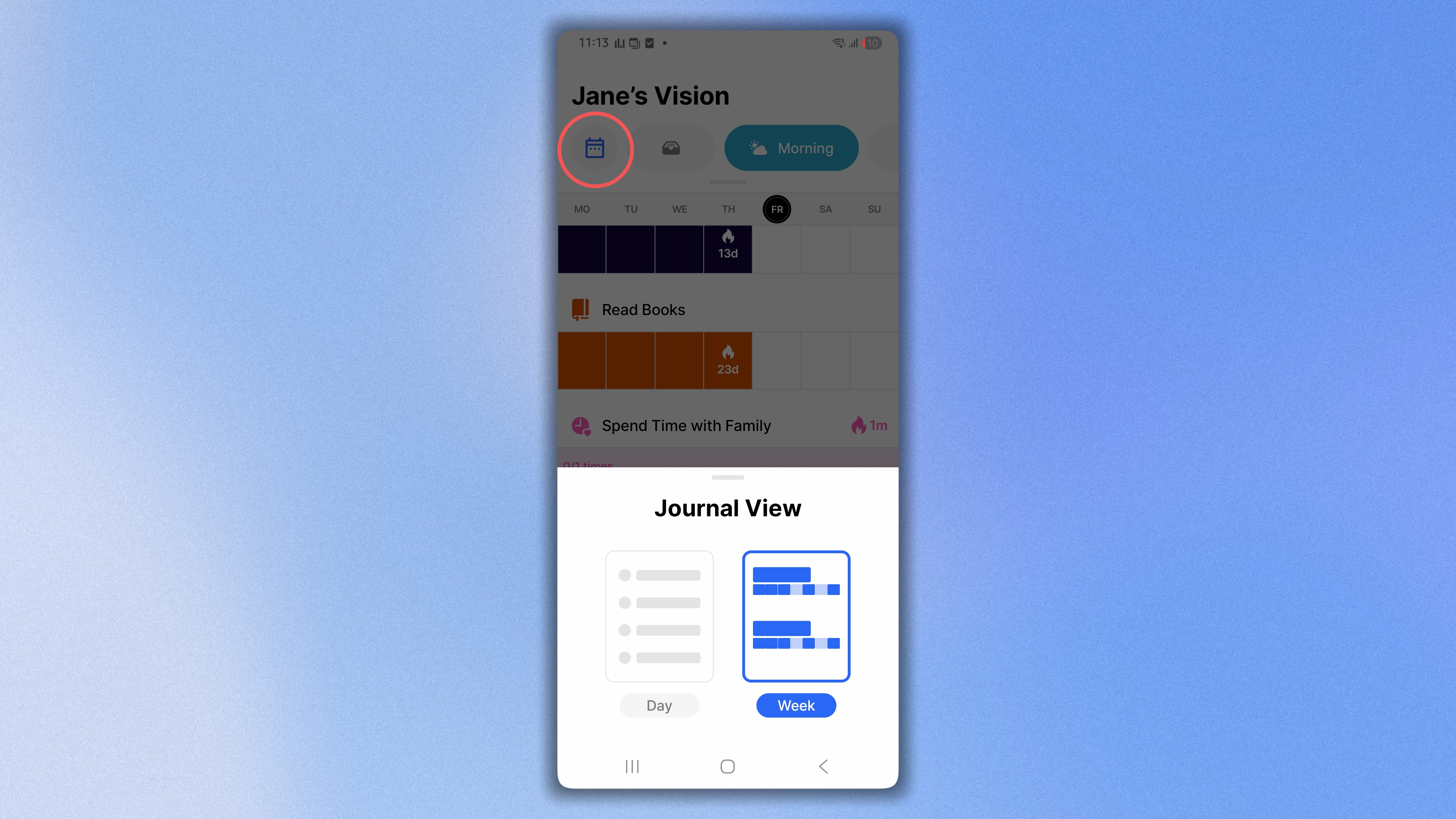
You can also:
Move between weeks using the week bar at the bottom of the screen.
Start your week on Sunday or Monday based on your First Day of Week setting.
Sort habits alphabetically, by reminder time, or according to your custom habit order.
Daily View helps you focus on the next action. Week View helps you understand the journey. Now, you can move effortlessly between both perspectives whenever you need them.
Ready to See Your Week Differently?
Head to the Google Play Store and update to Habitify Android 49.0.0 to explore the new Week View today.
→ Download Habitify for Android
Happy tracking!
The Habitify Team