Habitify iOS 33.0.0: Smarter Logging & Total Control
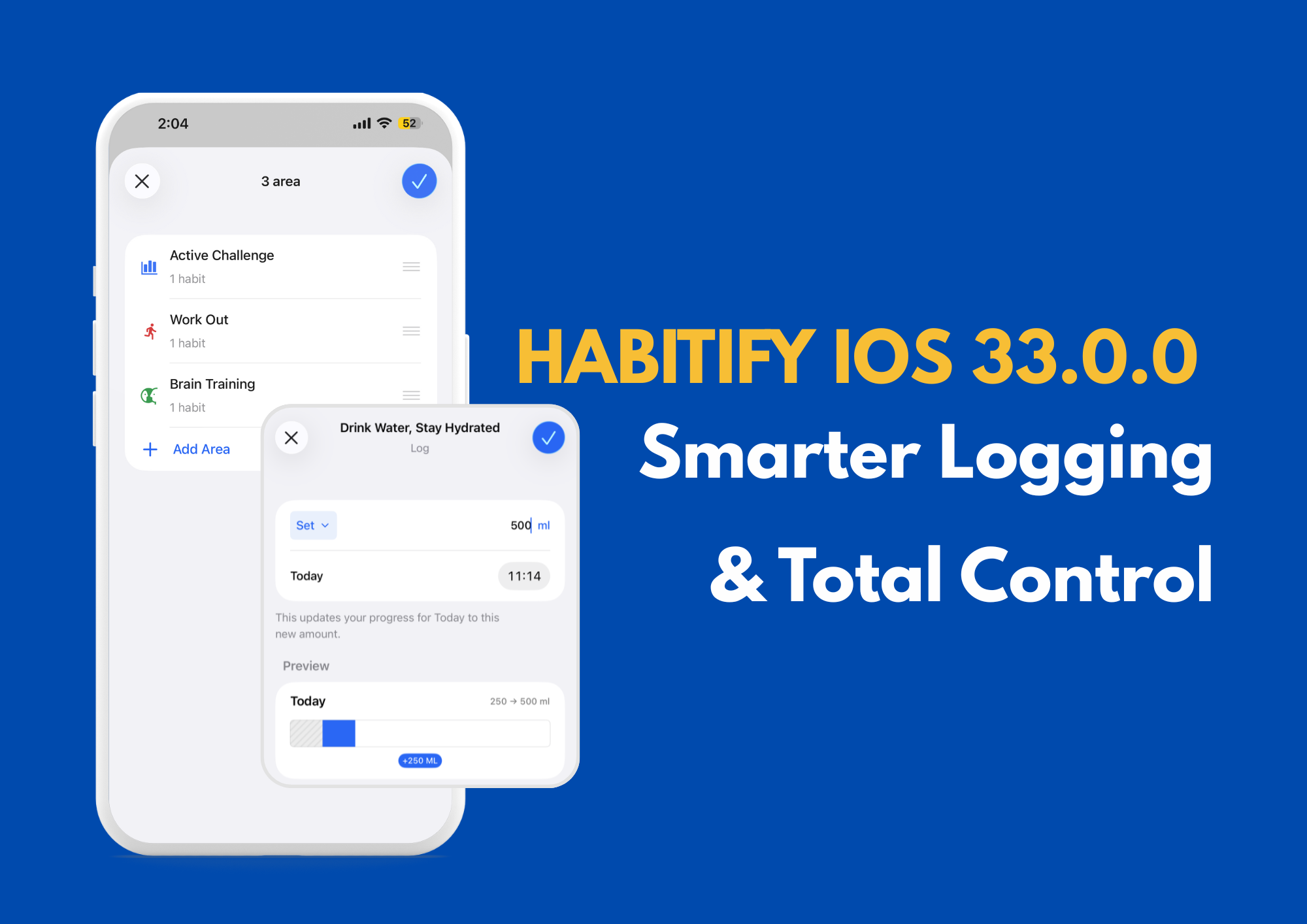
We are back with a major update for our iOS community! Habitify v33.0 is all about precision and control. As your list of habits grows, we know that organizing them is just as important as checking them off.
Here is what’s new on your iPhone today:
🧠 Smarter Logging: "Add" vs. "Set"
We’ve revamped the Log Progress screen to save you the mental math. Previously, you could only add to your current total. Now, you have two distinct modes to track your way:
➕ Add Mode: Perfect for cumulative tracking. Did you just run an extra 5km? Select "Add" to top up your progress.
🎯 Set Mode: Perfect for absolute updates. Check your pedometer and see you're at 8,000 steps total? Select "Set" and type 8,000. We’ll automatically calculate the difference to update your bar correctly.
❤️ Now Syncs with Apple Health With this upgrade, manual logs in Habitify now write back to Apple Health! If you log a run or water intake in Habitify, it will now update your Apple Health data, ensuring both apps stay perfectly in sync.

🛠️ A Revamped "Manage Habits" Experience
We have completely redesigned the Manage Habits screen to be more robust.
Unified Sorting: We’ve fixed the logic for custom sorting. You can now drag and drop all your habits to your preferred order—including habits linked to Challenges.
Smoother Editing: The entire list feels more responsive, making it easier to prune old habits or prioritize new ones.
Import Note regarding the Challenge-Linked Habits: To preserve the integrity of your leaderboards, habits linked to active Challenges are now "locked." You can reorder them, but they cannot be Archived or Deleted until the Challenge ends or you choose to leave the Challenge.

📂 Master Your Custom Areas
For those who organize their life into buckets (like Health, Work, or Art), the Settings > All Areas screen is now much more powerful.
Total Sorting Control: We’ve squashed the bugs affecting custom Area ordering. You can now drag and drop your Areas, and they will strictly follow the order you set.
Deep Editing: You can now tap directly on any Area to open a detail view. From there, you can edit the Area's info and—most importantly—manage exactly which habits are included or excluded in one simple list.

☀️ Refined "Time of Day" Settings
Managing your daily flow just got easier in Settings > Time of Days.
Direct Management: We’ve added the ability to directly manage the contents of your Morning, Afternoon, or Evening lists.
Easy Toggles: Simply tap on a Time of Day to see everything scheduled for that period. You can add or remove habits from that specific time block instantly, without having to navigate back to individual habit settings.
Small Note: Every habit must belong to at least one Time of Day. This ensures no habit ever gets "lost" from your daily view.

Your Routine, Your Rules
This update is dedicated to the organizers and the planners—the users who want their dashboard to look exactly right. We hope these fixes give you the peace of mind that everything is in its place.
Update to Habitify v33.0 on the App Store
Thank you for building your habits with us!
Happy tracking!