Habitify Android 32.0.0: A Smoother, Smarter Experience on Android
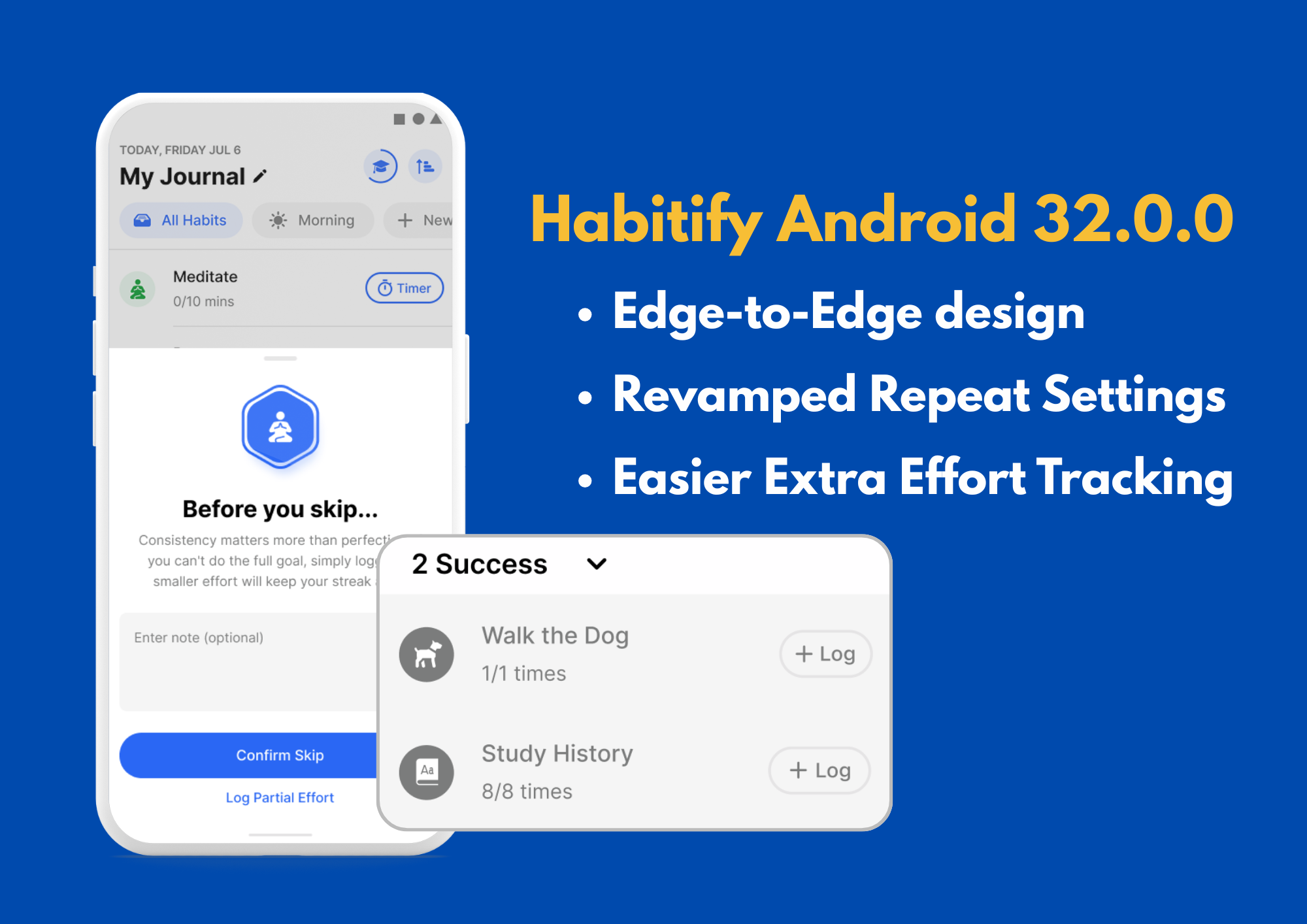
We’re kicking off a fresh update for our Android community with Version 32.0! Our goal for this release was simple: remove friction. Whether you are setting up a complex schedule or logging your progress, everything in Habitify should feel intuitive and seamless.
Here is how we are making your habit-building journey better today:
✨ Edge-to-Edge Design: A Modern, Immersive Look
We have updated our interface to adopt the modern design language recommended by Google.
You will notice the app now runs Edge-to-Edge. This means Habitify utilizes your entire display, drawing content behind the navigation and status bars.
It gives the app a synchronized, native feel that fits perfectly with the latest Android standards, making your dashboard look cleaner than ever.
📅 Revamped Habit Repeat: More Intuitive Habit Schedules
We have completely revamped the Repetition Settings to take the guesswork out of your routine. The new design clearly separates your options into Weekly, Interval, and Monthly modes. Especially:
No more mental math: When you choose an interval (like "Every 3 days"), the app now instantly generates a list of Upcoming Dates (e.g., Today, Thursday, Monday) so you know exactly when your next sessions land.
Visual Clarity: Whether you are selecting specific weekdays or picking dates on a monthly calendar grid, the new layout makes it impossible to set the wrong schedule.

🚀 Smart Button for Completed Habit: Smart Logging for Extra Effort
You asked, and we listened. Previously, once you completed a habit, it would move to the "Completed" list with a simple checkmark icon—and that was it. But we know many of you don't stop there.
The New "Log" Button: Now, even after a habit is marked complete, a "Log" Smart Button remains available.
Capture Every Effort: Did you drink an extra glass of water or read another chapter after hitting your goal? You can now tap "Log" to record those extra stats instantly, without having to reopen the habit details.

🛡️ Note Prompted on Skip or Fail: Streak Safeguards & Mindful Skips
We know that breaking a streak can be demotivating, so we’ve added a helpful "check-in" before you mark a habit as Skipped or Failed.
Encouraging Consistency: If you attempt to skip a habit, Habitify will now remind you that "consistency matters more than perfection" and suggest logging a smaller effort just to keep your streak alive.
Preventing Accidental Resets: Before marking a habit as failed, you will see a clear warning that this action will reset your streak to zero, ensuring you don't lose your hard work by accident.
Add Context: Both screens now include an optional text field to enter a note, so you can record why you skipped or failed that day for future reflection.

And More…
⚡ Faster "Extra" Logging
For those who like to go the extra mile, we’ve reduced the friction.
We added a new "+" button directly on the Journal view for habits you have already completed. Now, logging extra progress over your daily goal takes just a single tap—no need to open the details screen.
🌍 In-App Language (Android 13+)
You can now use Habitify in your preferred language, independent of your phone’s system settings.
Go to Settings > System > Languages & input > App Languages > Habitify (or simply Settings > Habitify depending on your device).
Note: This feature requires Android 13 or later.
This update was built entirely around your feedback. Whether you are maintaining a 100-day streak or just starting Day 1, we are so grateful you chose Habitify to be part of your journey.
Update to Habitify v32.0 on Google Play
We hope these changes make your daily routine a little brighter and easier to manage. As always, let us know what you think!
Happy tracking!