Progress View: Visual Feedback
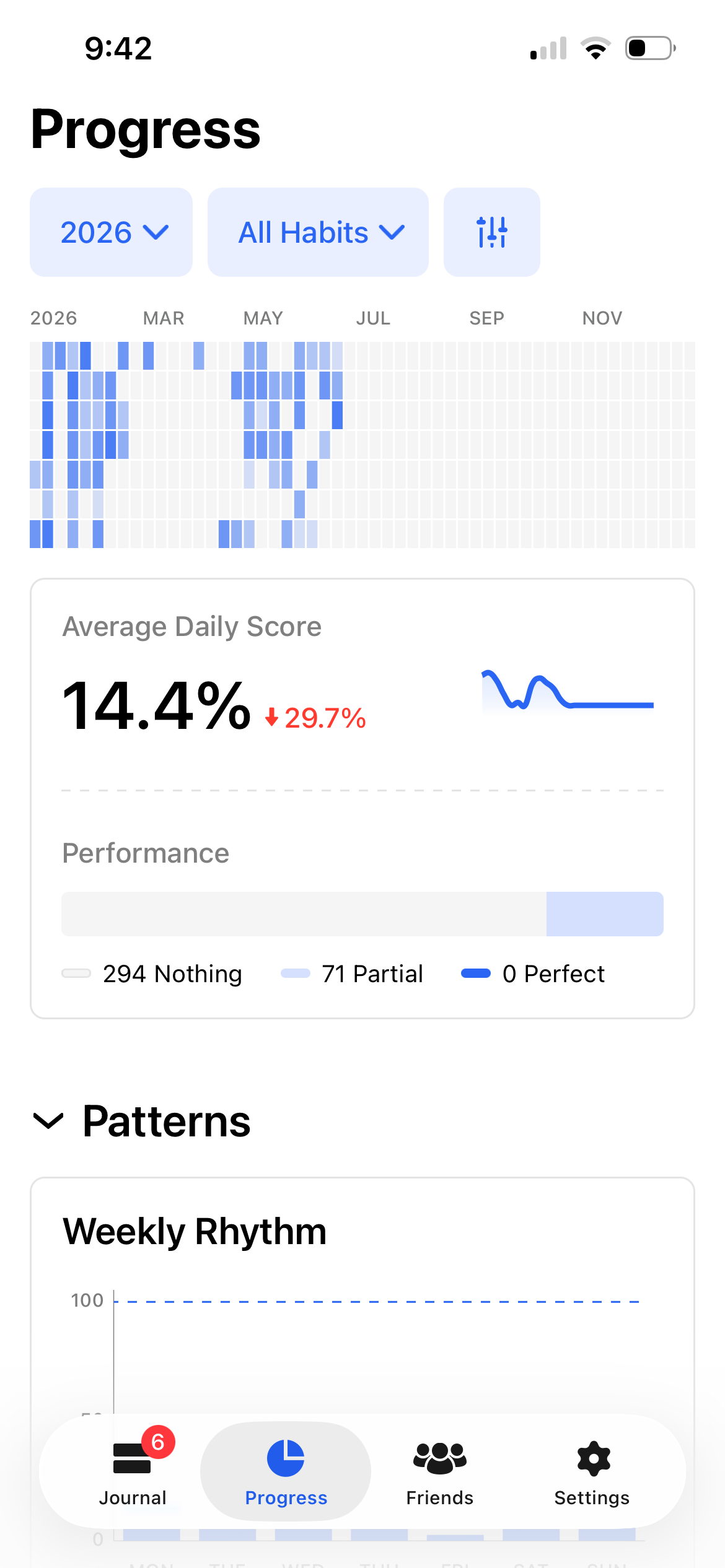
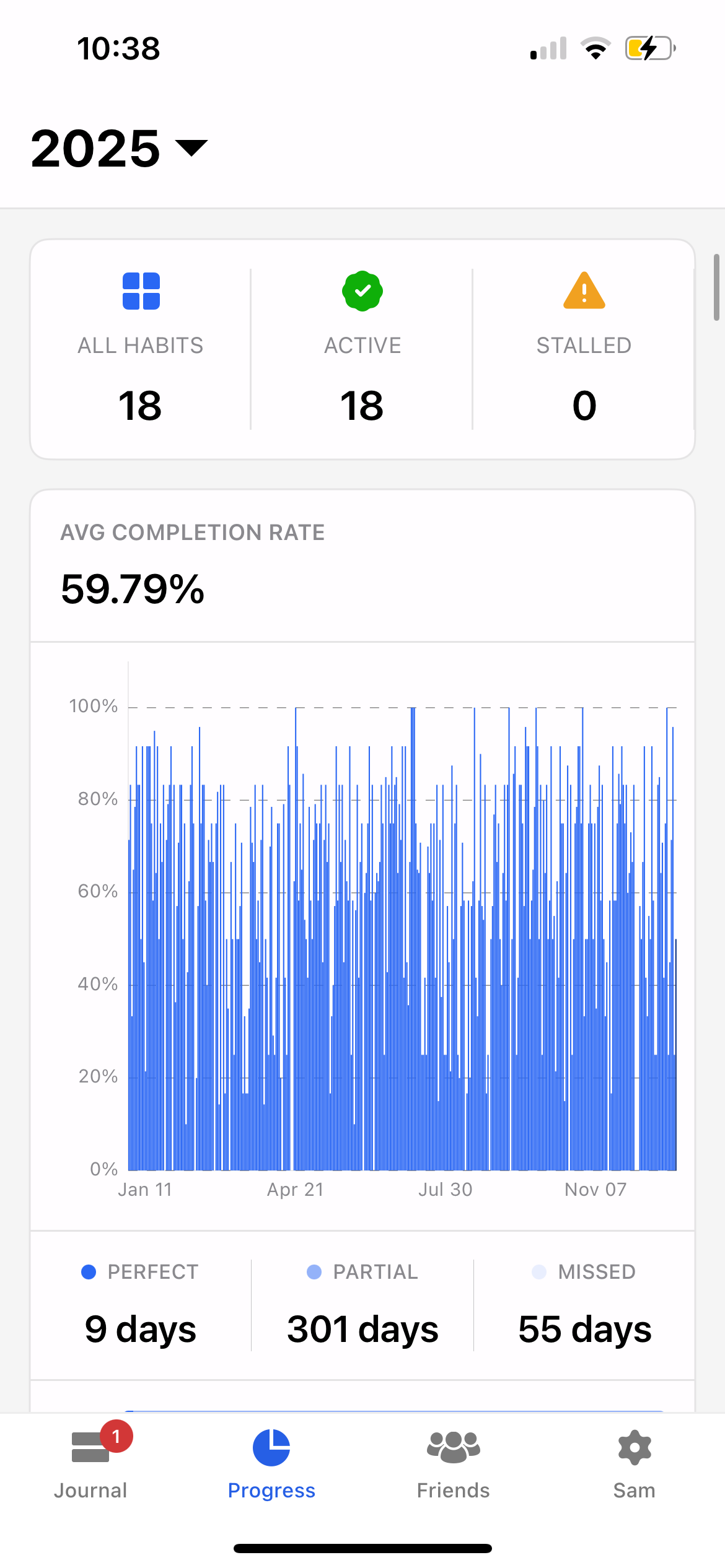
The new progress overview visual (1st screenshot below) is hard to understand and doesn’t give a quick , easy to digest summary of progress. The legend gives 3 colors ( nothing , partial, perfect), but I see 4 different colors in the overview graph. Additionally, the option to filter the view to “last week” or “this week” was removed. Now you can filter to “last seven days”, but I preferred to compare week by week. I MUCH preferred when the progress overview filter looked as it does in the second screen shot.
Comments1
Minh Thư
Jun 18
Hello!
Thank you so much for sharing your feedback and screenshots regarding our latest Progress view updates.
In this revamped version of the Progress view, we introduced a few key changes to provide more flexibility:
We increased the flexibility of the time filters. Previously, the app only offered a set list of specific presets. Now, it allows you to freely select any custom date range by setting the exact start and end dates for the period you want to review. Our goal was to broaden your choices while keeping things simple and direct, though we completely understand that removing quick presets like "This Week" and "Last Week" makes rapid week-by-week comparisons much harder.
The heatmap is now the central focus of the overview. The color of each cell displays different shades depending on your daily habit completion rate for that specific day. Because of this gradient, you will see several different shades of color in the heatmap grid.
Meanwhile, the Performance Bar simply categorizes your days into three basic states: "Nothing" (days with 0% progress), "Partial" (days where your completion rate was under 100%), and "Perfect" (days where you accomplished everything you needed to do).
I hope this helps clarify how the elements in our new Progress view work! That being said, we truly appreciate your detailed feedback and have documented these points for our design team to help guide future improvements to the interface.