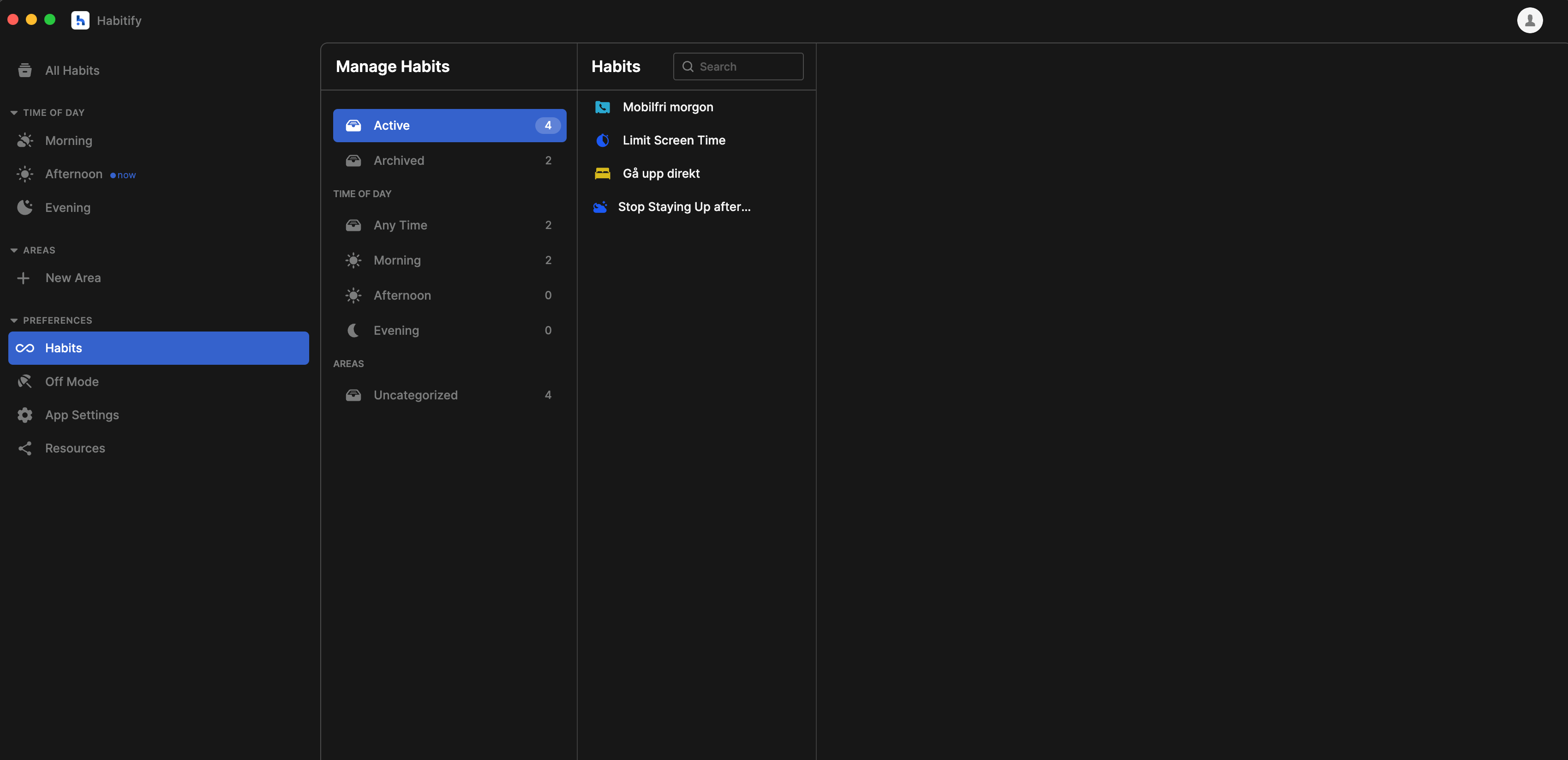
macOS & Web: Inline Edit Panel in Preferences → Habits
Problem:
Clicking a habit here does nothing — the view feels like a dead end. I don’t really see its purpose right now; there’s no quick way to edit habits directly.
Suggestion:
Use this view as a quick habit editor: when selecting a habit, show its Edit Habit panel on the right (split‑view style).
Why:
Makes the view functional for managing habits
Allows fast edits without extra pop‑ups
Fits standard macOS layout patterns
Comments2
Minh Thư
Nov 17, 2025
Hi!
Thank you for sharing with us your feedbackn on the Preferencfes screen of website & desktop app.
Just a small sneak peak, we are working on a revamped version for this screen, giving a more intuitive view of managing habits. Keep stay tuned!
Patrik
Nov 17, 2025
Cool. Thanks for letting me know, Minh 🙏