Widget: Blank task error showing in widget
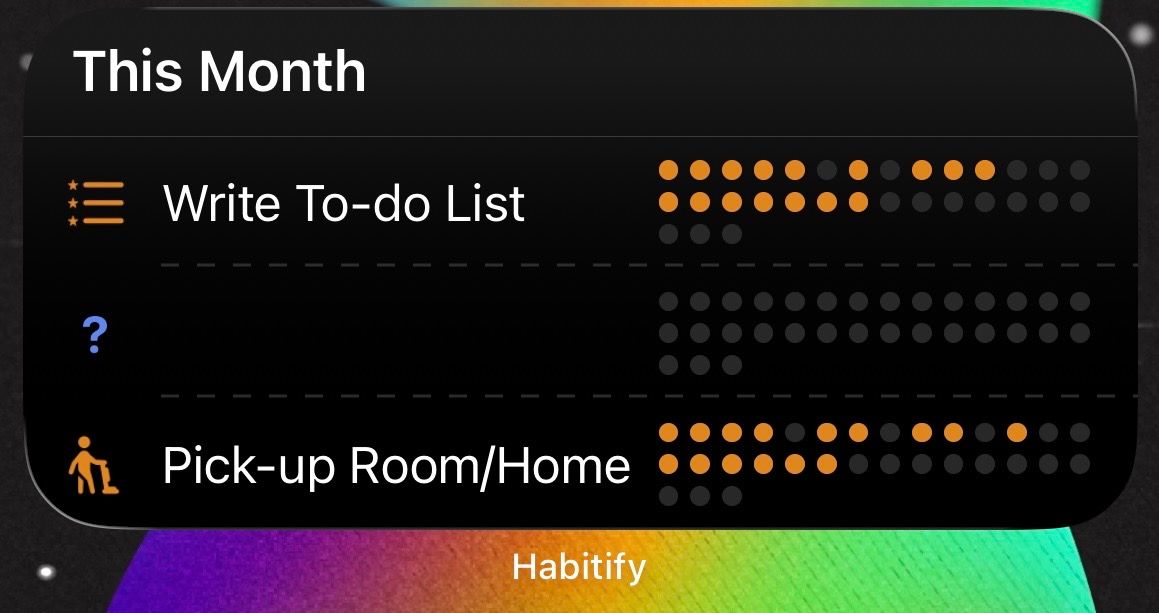
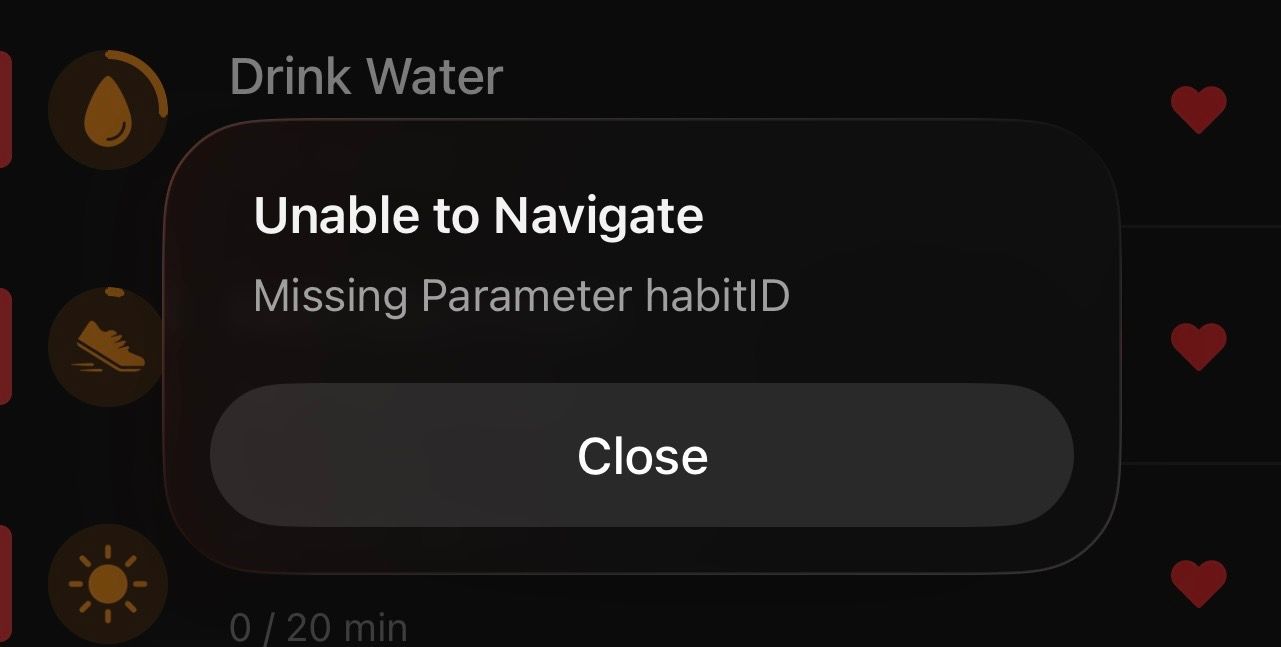
This question mark blank task is appearing in my widget dock. I don’t have any habit listed as that and when I click on it it shows an error message and does not appear in the Habitify app. I already deleted the widget and put it back on, deleted and reinstalled to the newest Habitify and I turned off/on my iPhone 13 max. And also deleted all my archived tasks and made sure it’s not a task I missed. Please fix this? Or anything else I can do? It’s a shame that it takes up 1/3 of the widget not showing my tasks no matter what I do.
Comments3
Minh Thư
Dec 24, 2025
Hi! We are so sorry for this unexpected issue.
Have you tried to re-add the widget?
An Anonymous User
Dec 24, 2025
Yes, I deleted the widget re-add it before. I also recently updated Habitify to the newest version 31.0.3, re-add the widget after deleting it and it is still there. Turn off and on my iPhone iOS 26.2
Minh Thư
Dec 31, 2025
Can you please send us this screenshot to our email? You can access Habitify > Settings > Chat with support Team to send us an email from there.