Habitify iOS 30.0: Rescue Time Integration, Timer on Watch, and More!
Hello iOS users!
We're thrilled to announce that Habitify 30.0 is here, and it's a massive update focused on flexibility, convenience, and powerful new ways to track your life. We've been listening to your feedback, and we're so excited to bring these new features to you!
Here's what's new:
✨ NEW: A Revamped "Time of Day" Feature
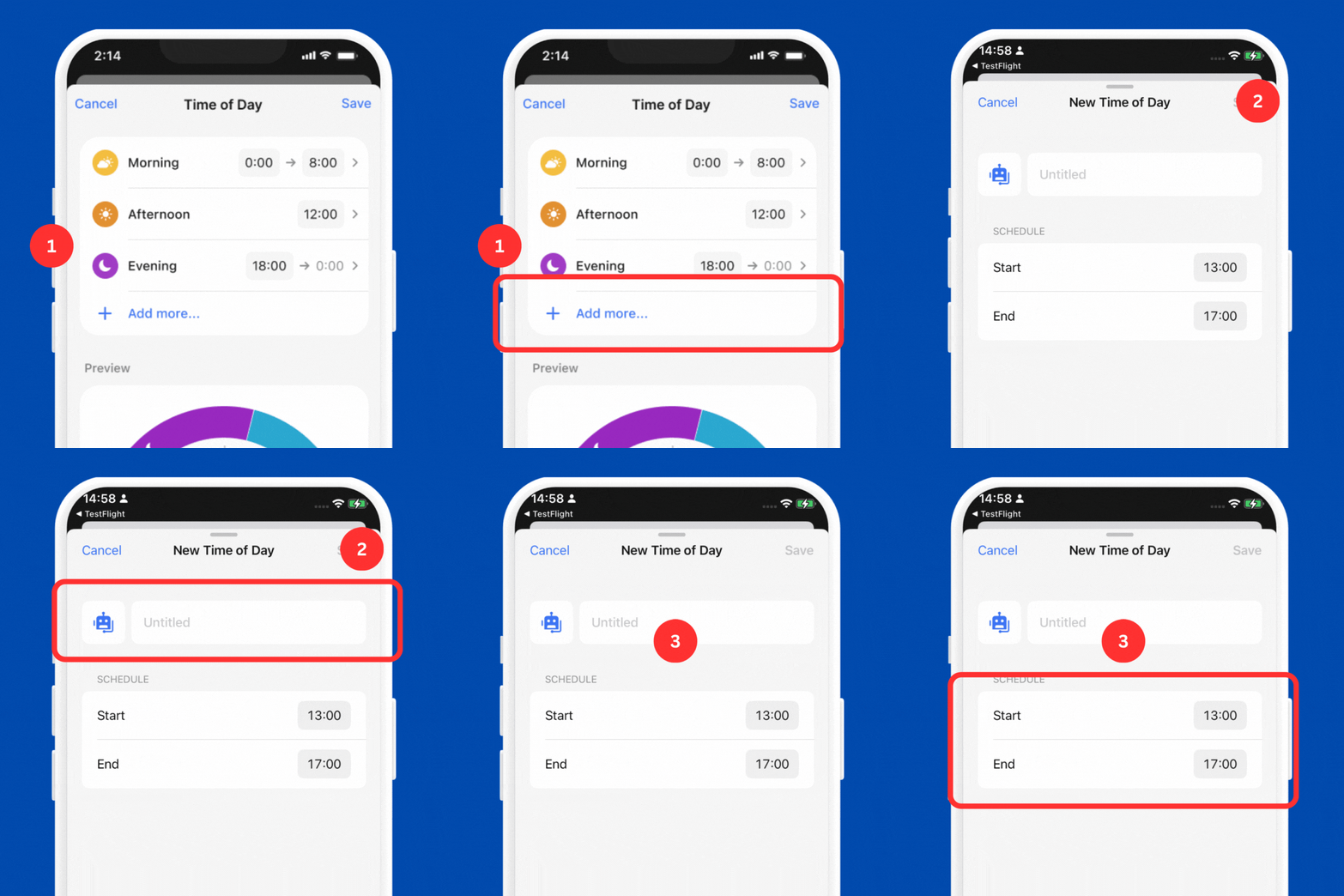
We've completely redesigned the "Time of Day" feature to give you total control over your schedule.
Beautiful New Design: The interface is cleaner and more intuitive than ever.
Add Custom Time Blocks: You're no longer limited to just "Morning, Afternoon, and Evening." You can now add your own custom time blocks to perfectly match your day. Create blocks for "Deep Work," "Commute," "Gym Time," or "Evening Wind Down" and assign habits directly to them!
🔄 NEW: Seamlessly Track Your Computer Time with RescueTime
Our new RescueTime integration allows you to automatically track your screen time on your Mac or PC as a habit.
Create a good habit (like "Productive Work") or a bad habit (like "Limit Distracting Sites"), and Habitify will automatically sync the time you spend on those activities from your computer. It's the perfect way to hold yourself accountable and get a complete picture of your digital habits.
⌚️ NEW: Start Timers Directly on Your Apple Watch
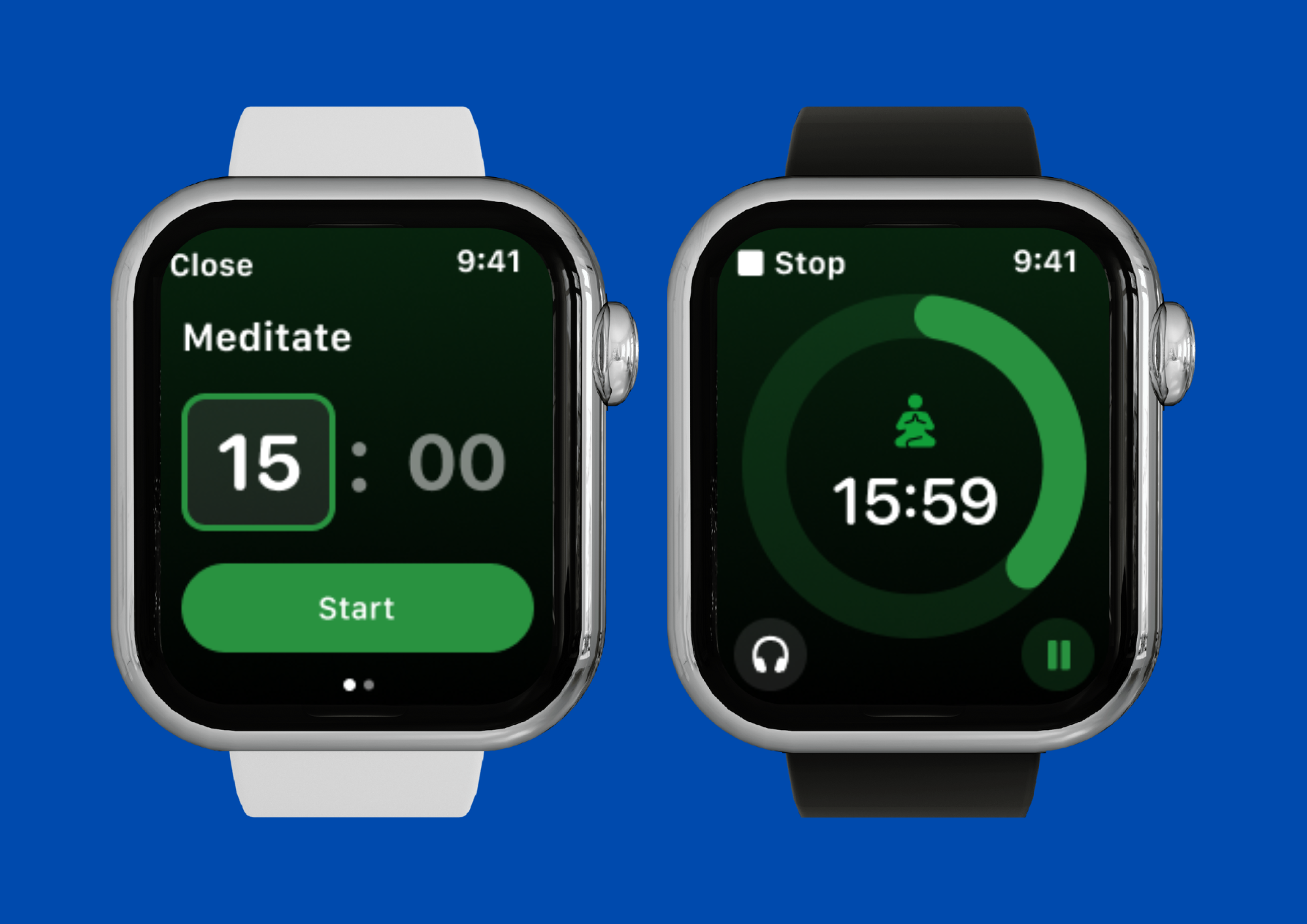
Your Apple Watch experience just got a major upgrade! For any habit with a duration goal (like "Read," "Meditate," or "Study"), you can now start a timer session directly from your wrist.
Simply tap the habit on your watch, scroll down to the "Timer" button, and start your session. It's the perfect way to stay focused on the go, without ever needing to pull out your phone.
⚡️ Quality of Life Improvements
We've also added some highly-requested features to make your daily tracking smoother:
Made a Mistake? Just Shake to Undo! Accidentally checked off a habit? No problem! Just give your iPhone a quick shake right after you log a habit, and an "Undo" option will appear.
A More Convenient Way to Add Progress Hit your daily goal but kept going? We've made it easier to log that extra effort. You'll now find a clear button on your completed habits in the Journal view to quickly add more progress without any hassle.
Update your app today to explore all these new features and improvements! As always, thank you for your incredible feedback.
Happy tracking,
The Habitify Team